


Help Desk & SLA Control
Manage requests by priority, site and team with first-response and resolution deadlines, escalation alerts and requester feedback.

ADB World FMS is a web-based facilities management system that connects service requests, work orders, preventive maintenance, asset tracking, inventory, purchasing, space bookings, safety and reporting across your sites.
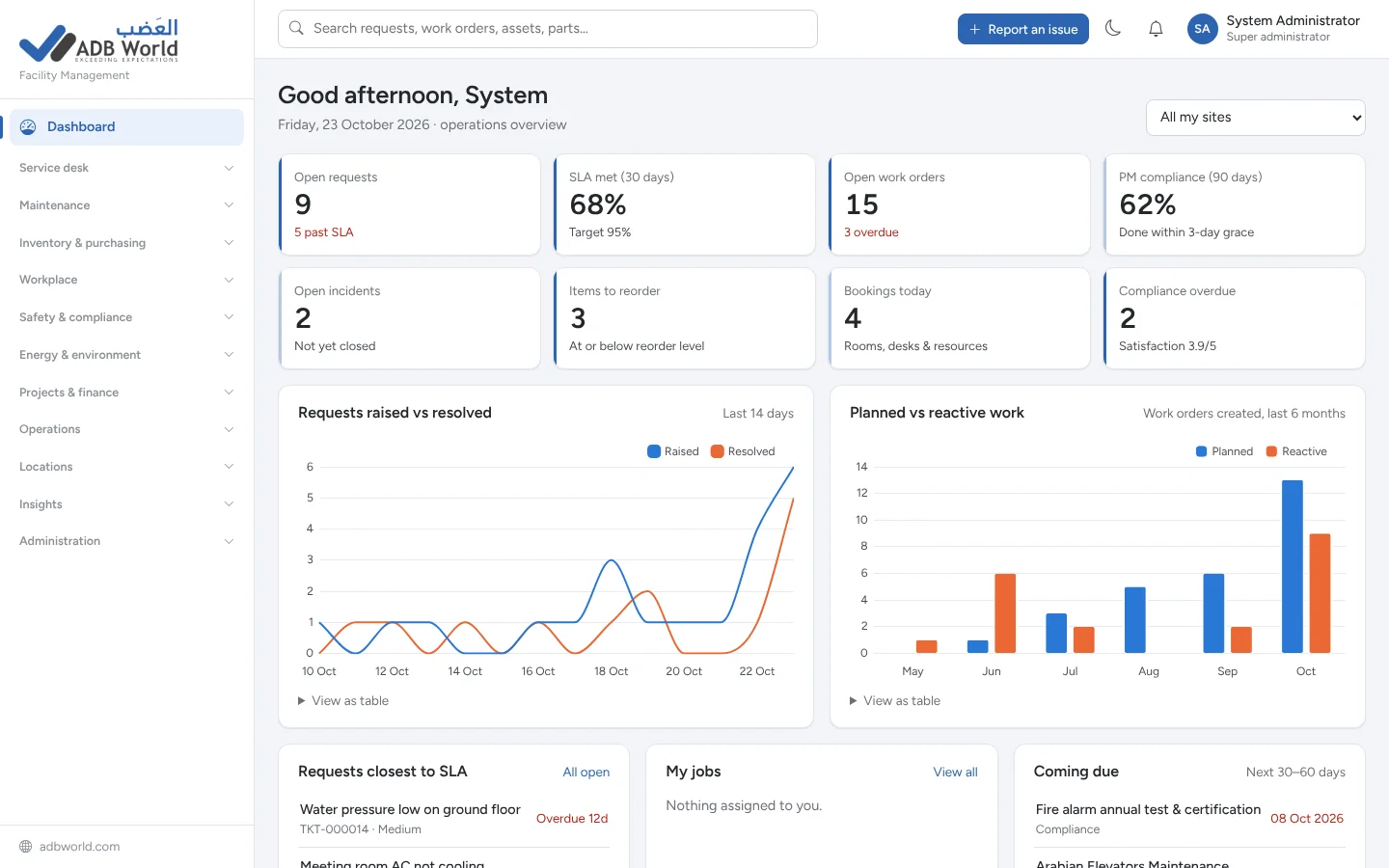
Replace disconnected spreadsheets, emails and manual follow-ups with an integrated facility management system. Facility managers monitor multiple buildings, employees submit service requests, and maintenance teams complete work with a traceable record of every action.
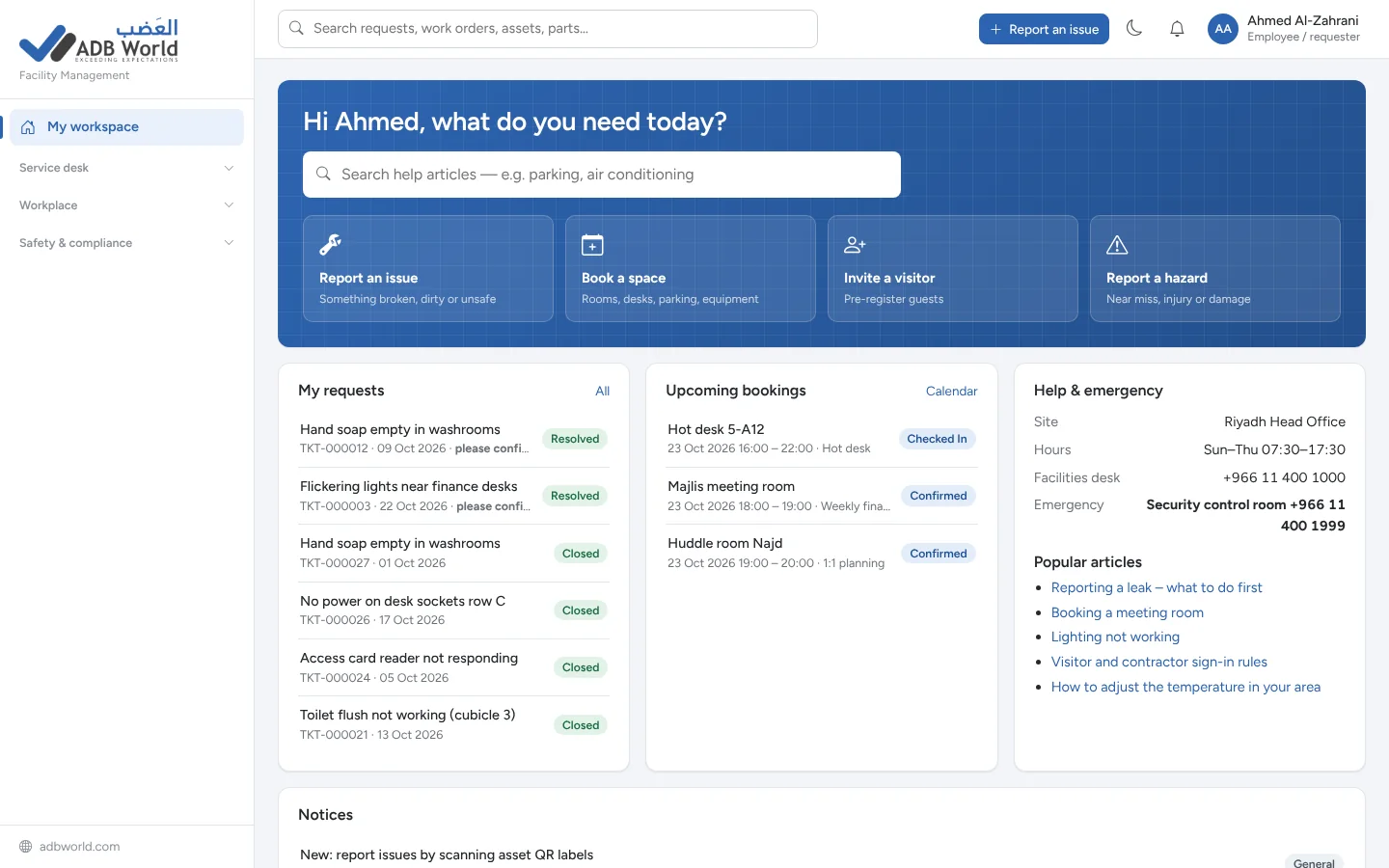
From the first service request through job closure, purchasing and compliance, your people work with the same information instead of separate systems.
Manage requests by priority, site and team with first-response and resolution deadlines, escalation alerts and requester feedback.
Assign jobs to technicians, track labour and parts, use checklists and manage jobs on a visual dispatch board.
Schedule recurring servicing and automatically generate the next maintenance work order without duplicate jobs.
Track equipment details, warranties, cost of ownership, meter readings and maintenance history, with printable QR labels.
Manage stores, receipts, issues, transfers, stock valuation and reorder alerts with a permanent movement ledger.
Control purchase orders, approval limits, partial goods receipts, invoice matching, suppliers and contract renewals.
Book rooms, desks, parking and equipment with availability checks, approvals, check-in and no-show releases.
Record visitors, issue keys and access cards, track deliveries and manage office moves and lost property.
Track incidents and corrective actions, manage high-risk permits and prevent restricted jobs from starting prematurely.
Run mobile checklists, create follow-up actions when checks fail and monitor certifications and due dates.
Record meter readings and utility costs, spot unusual consumption and track project and site budgets.
Use 25 ready-made reports with site and date filters, CSV export and an audit history of important changes.
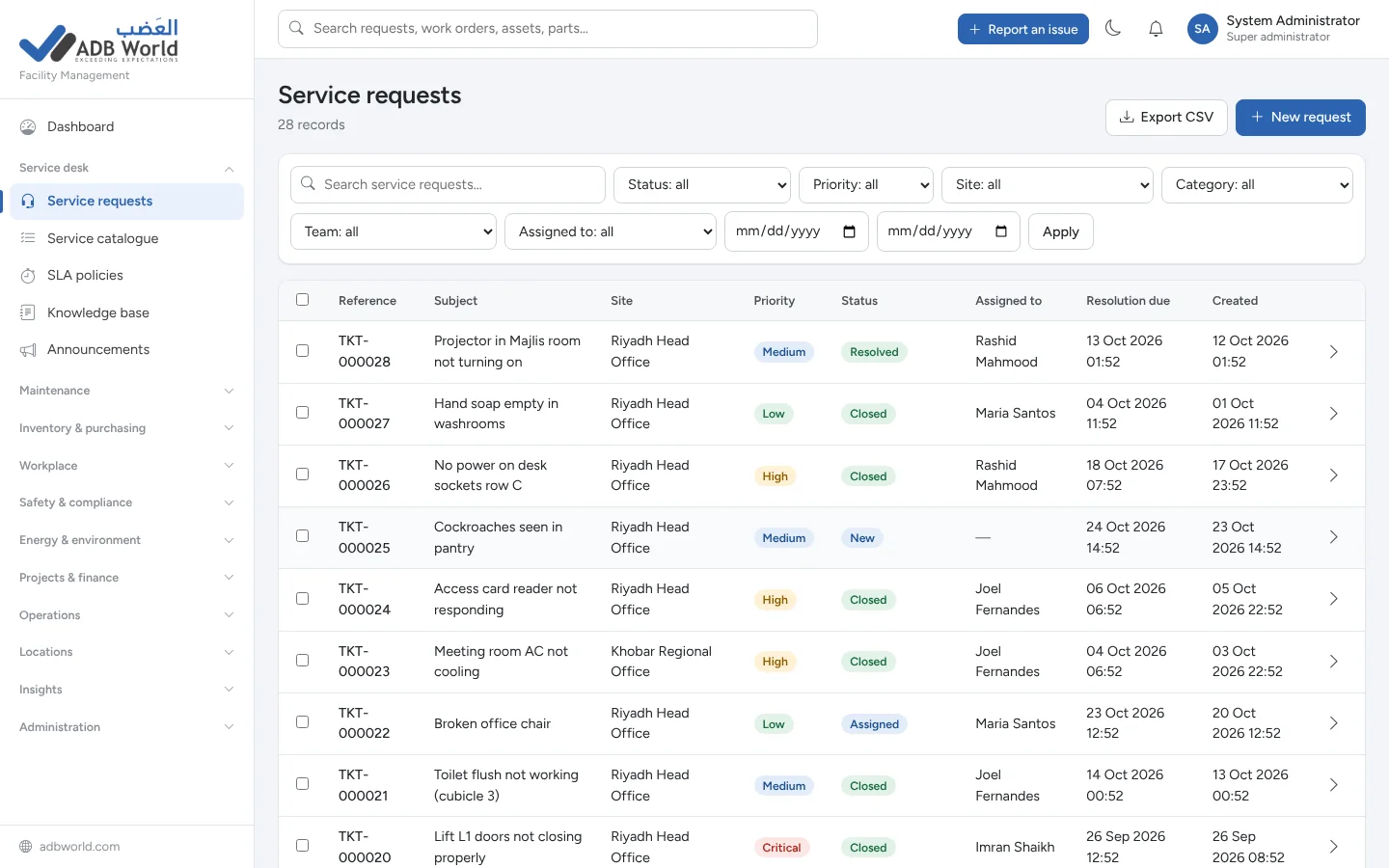
Give every issue a reference number, status and SLA, from a leaking pipe to a cleaning request. Staff can track progress while the service desk sees urgent and overdue items in one view.
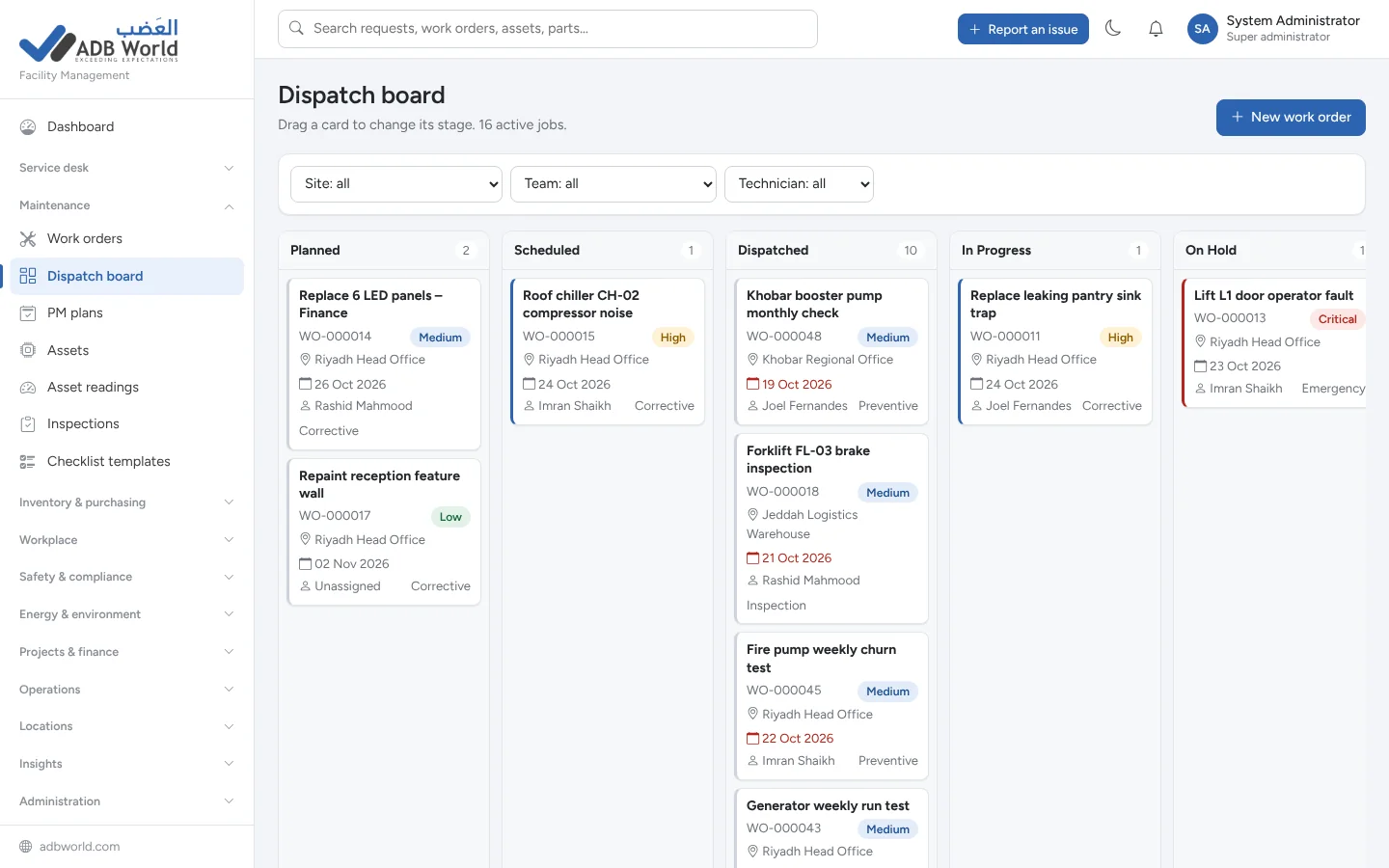
Coordinate technicians and contractors from the dispatch board. Each work order connects the location, asset, assigned team, dates, checklist, labour, parts and cost.
Define a servicing routine once and let the platform create the next job before it becomes due. Every generated work order includes the relevant instructions, checklist and asset link.
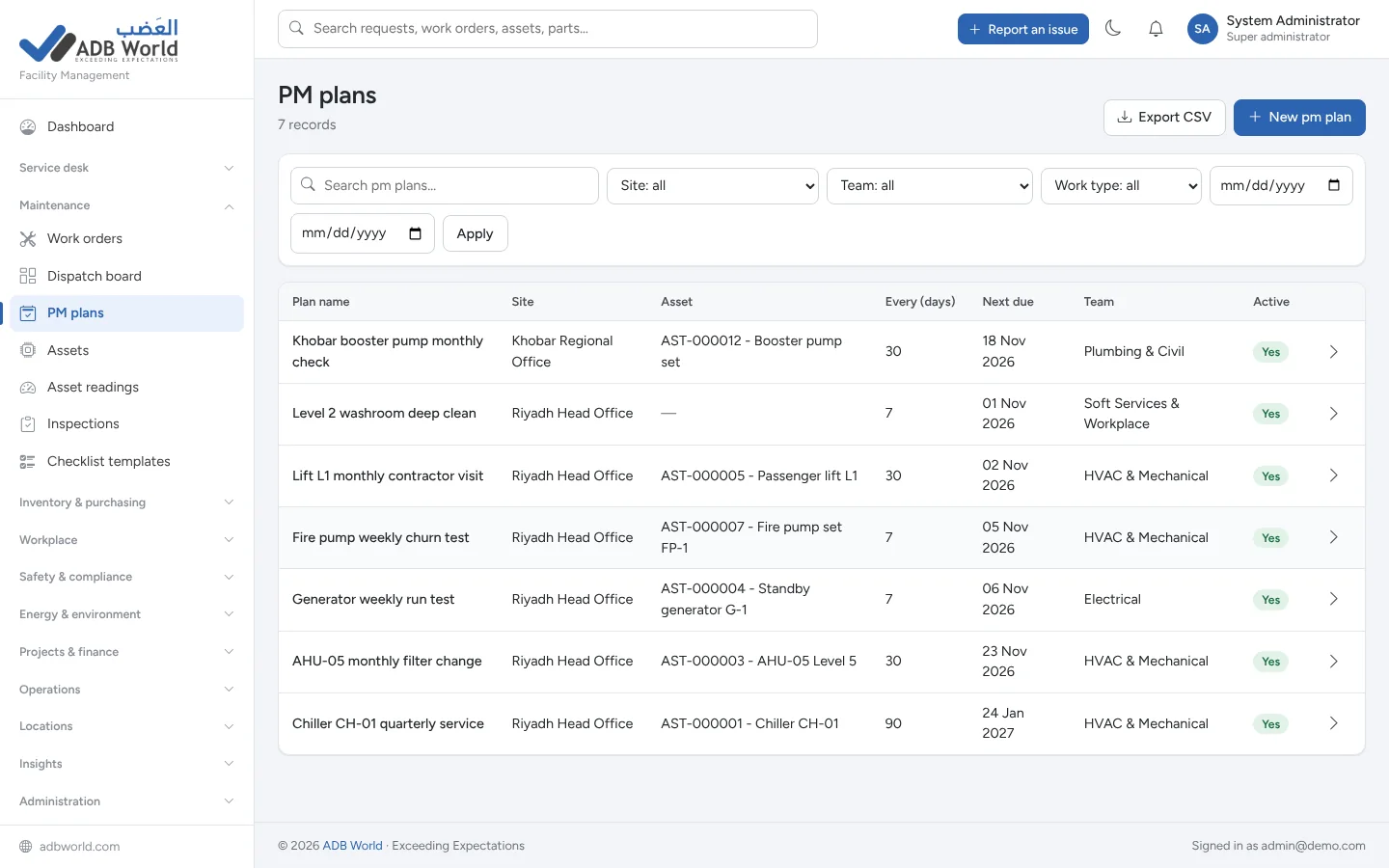
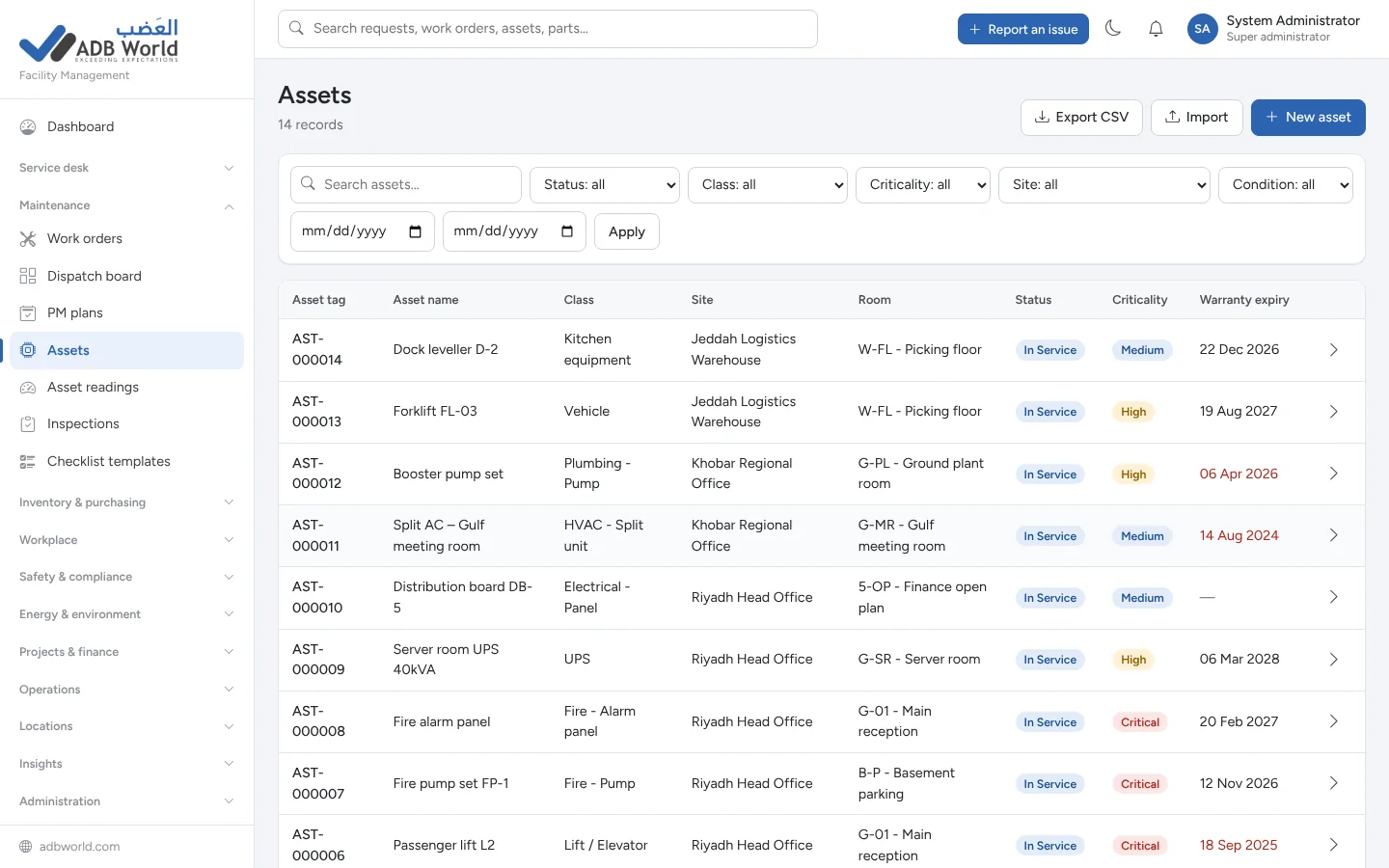
Keep a reliable register for generators, chillers, lifts, pumps, vehicles and other equipment. Link work orders to assets and use printable QR labels to reach records or report faults quickly.
The same platform supports the people, spaces, materials, financial controls and safety processes that keep a property running day after day.
Manage spare parts across locations, with average-cost valuation, movement history and automatic low-stock warnings.
Raise, approve and receive purchase orders. Compare invoices against orders and goods received.
Reserve rooms, desks, parking spaces and equipment without overlapping reservations.
Register visitors, notify hosts, issue and return keys, and record parcels and mailroom deliveries.
Investigate incidents, manage risk scores, corrective action verification and permits to work.
Monitor energy and water consumption, tariff-based costs, anomaly alerts and waste collection records.
Track capital projects, linked purchasing, progress and budget vs actual spend by site and cost centre.
Publish self-help articles and notices while keeping procedures, drawings and certificates in one secure library.
A connected process keeps everyone updated and creates a traceable history of the work.
An employee reports a fault through the portal. The system gives it a reference, location and service-level target.
The service desk reviews the issue and assigns a responsible team or creates a linked technician work order.
The technician follows the checklist, logs parts and time, and completes the job for quality sign-off.
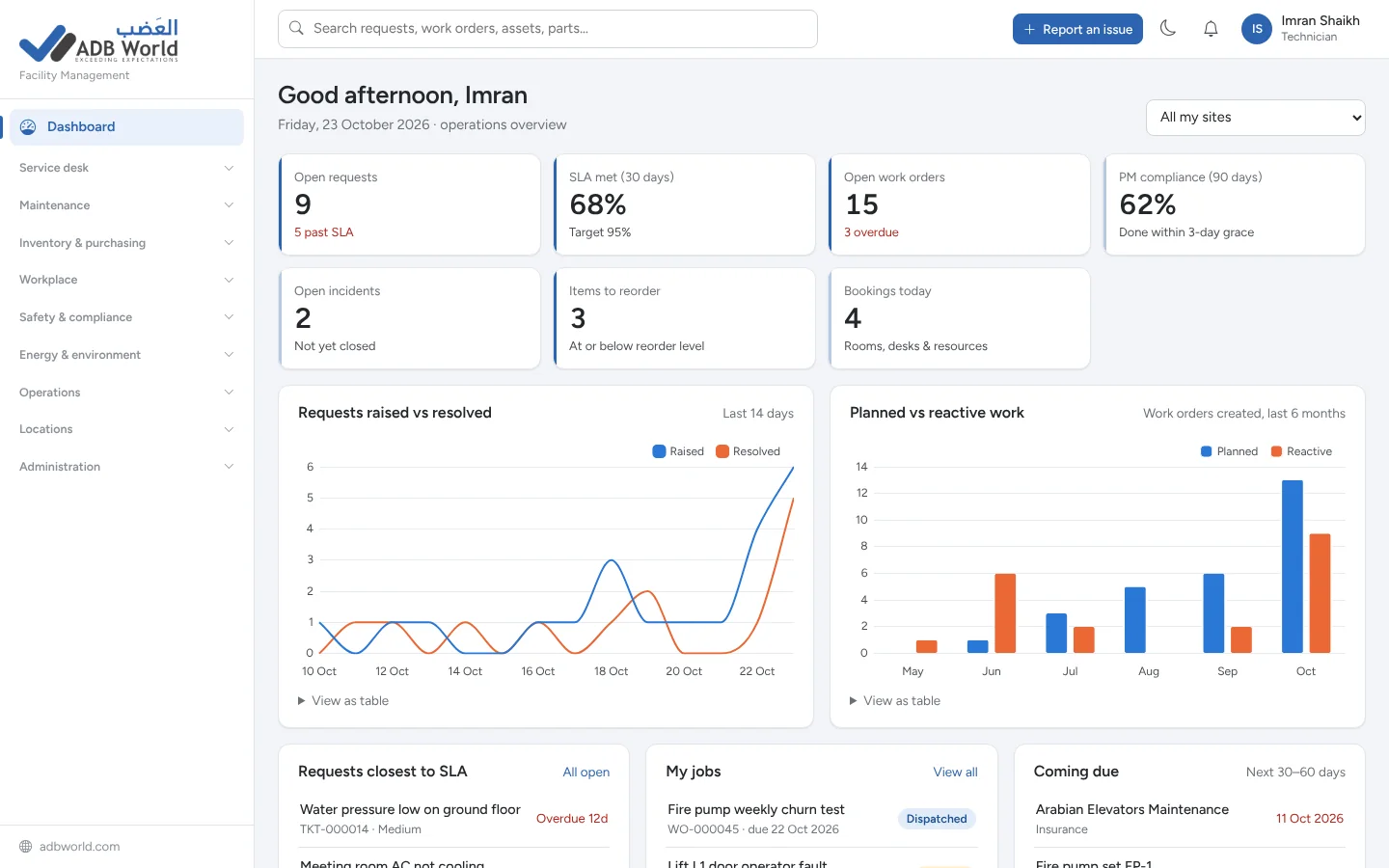
Managers review SLA compliance, customer satisfaction, maintenance history and costs in live reports.
These are actual interface screenshots from the ADB World FMS product guide, showing the connected workflows across the system.
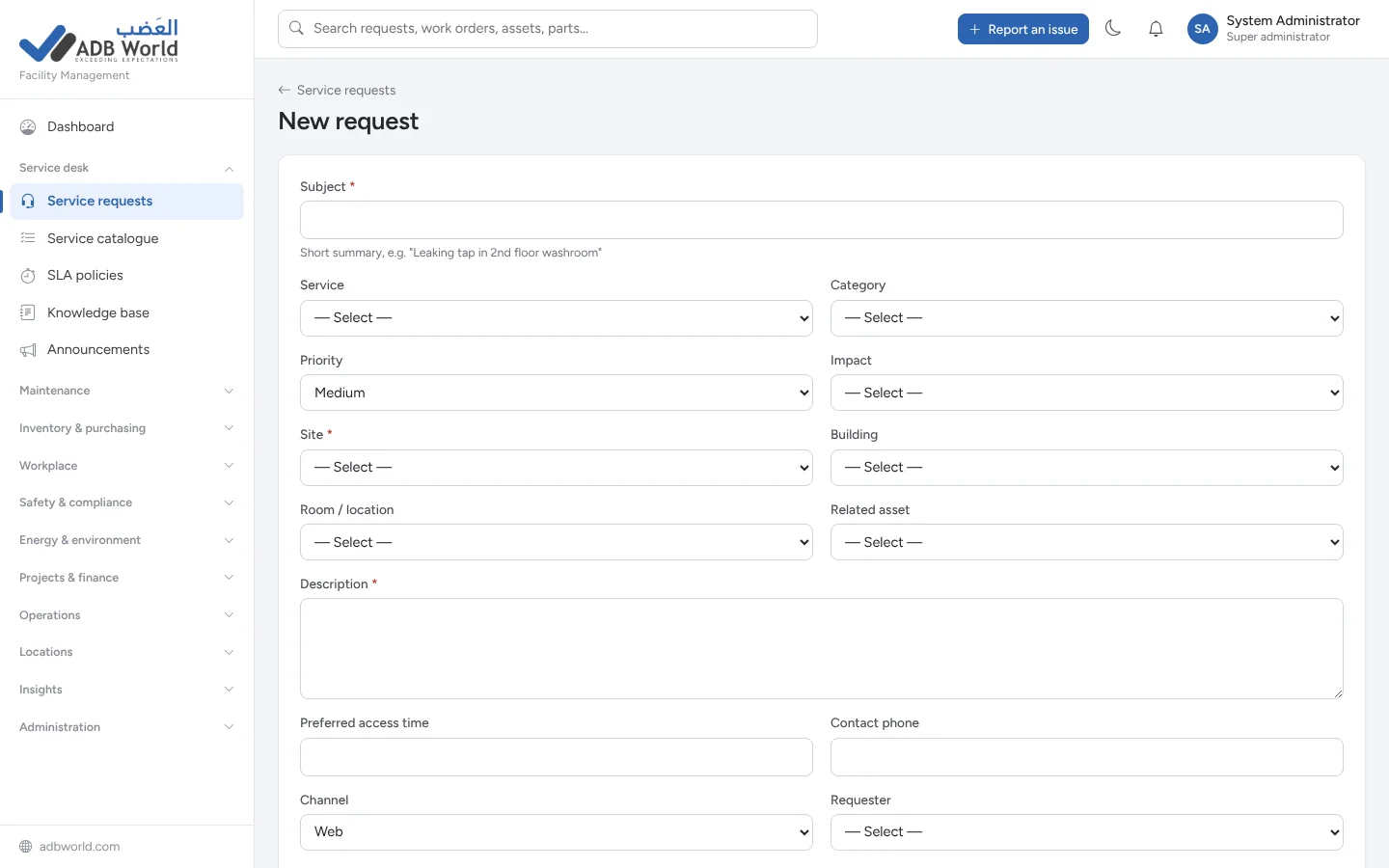
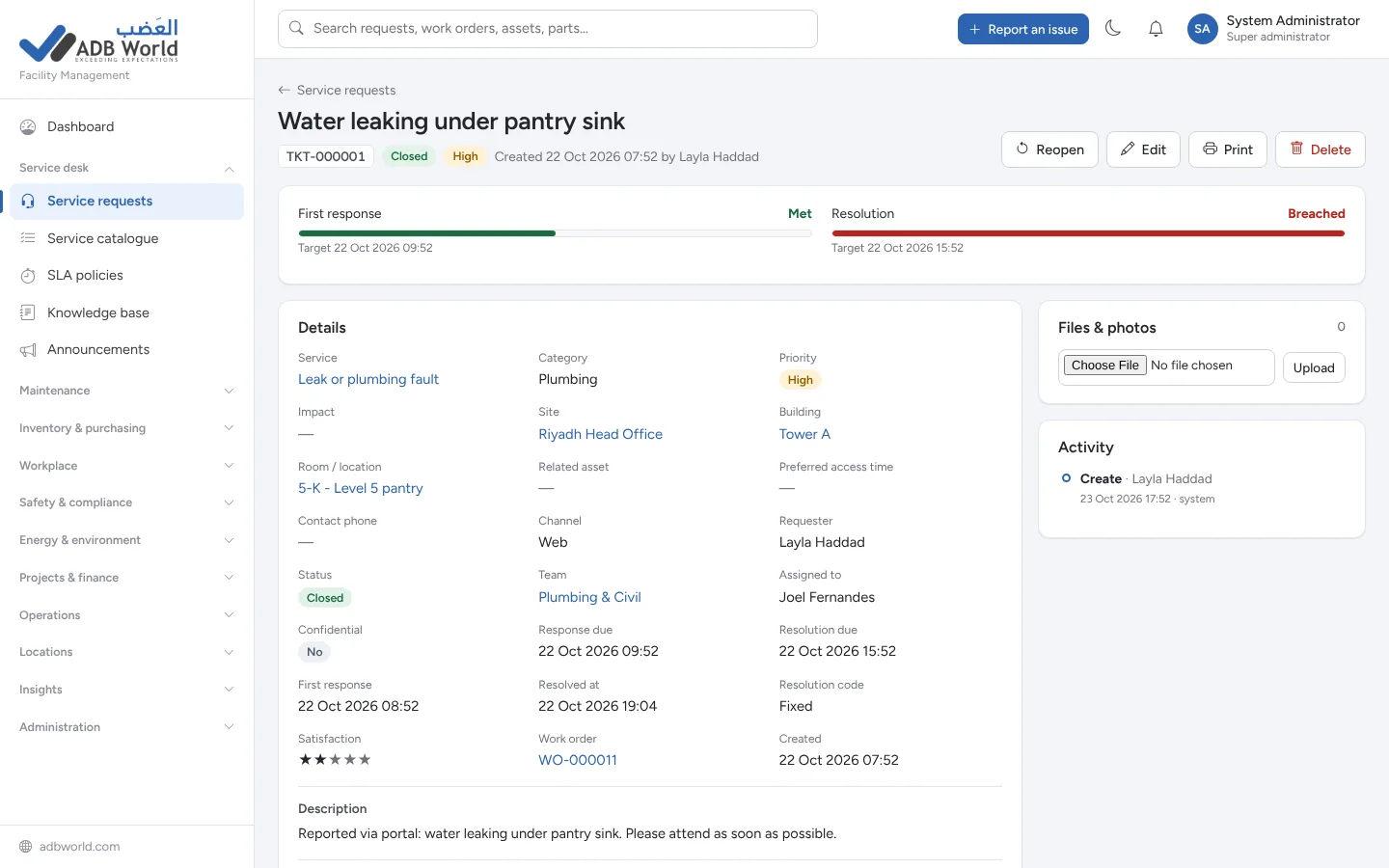
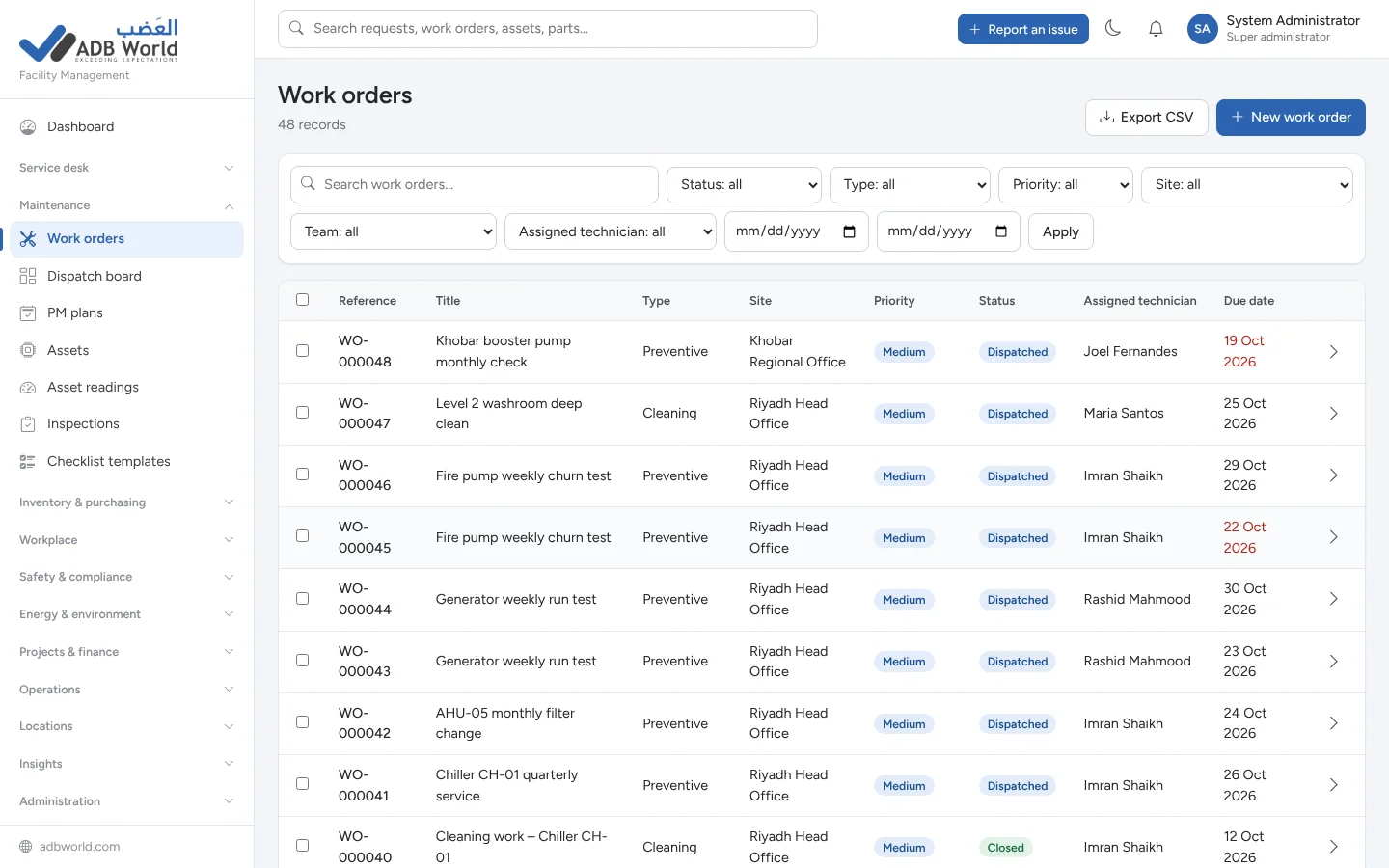
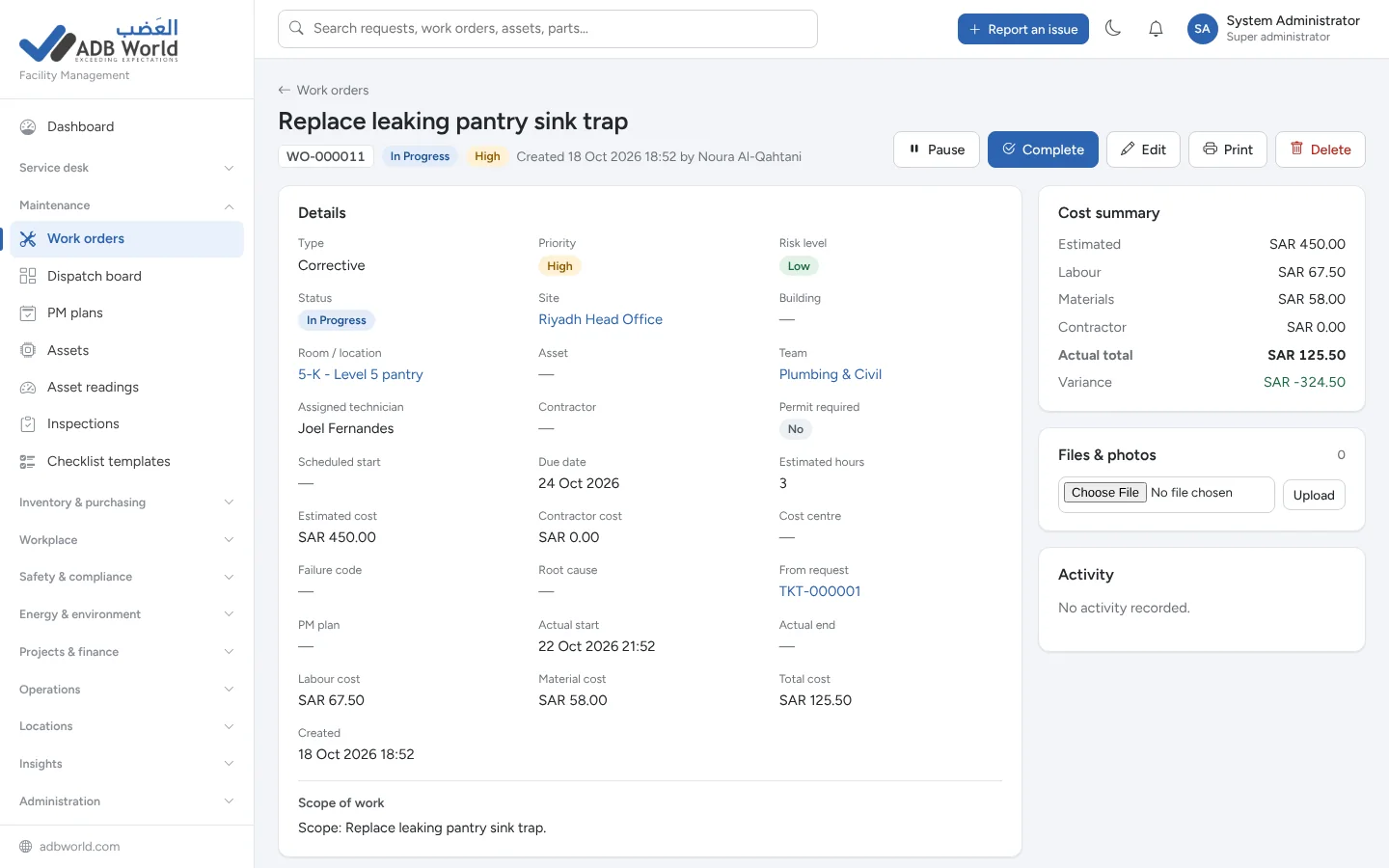
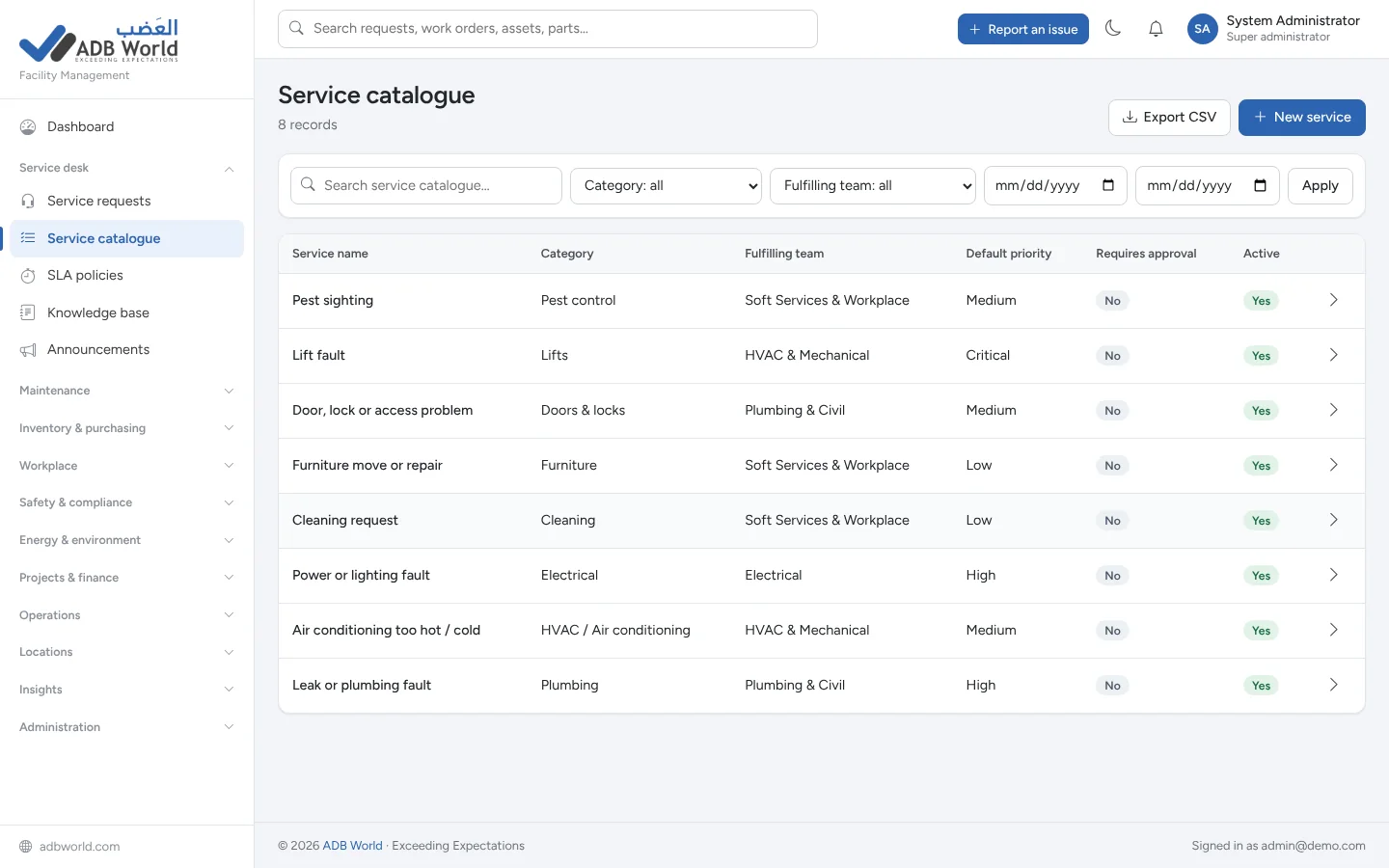
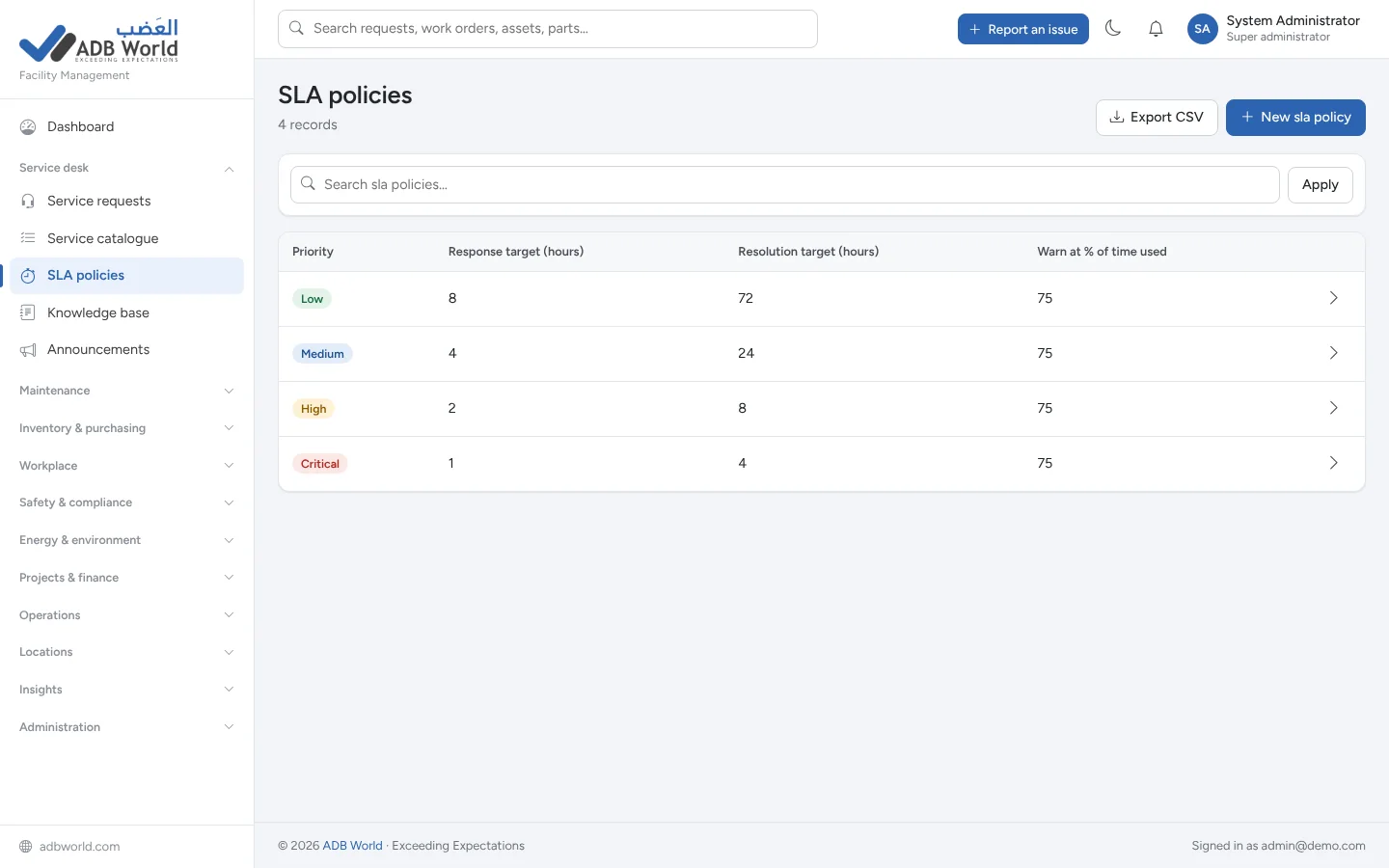
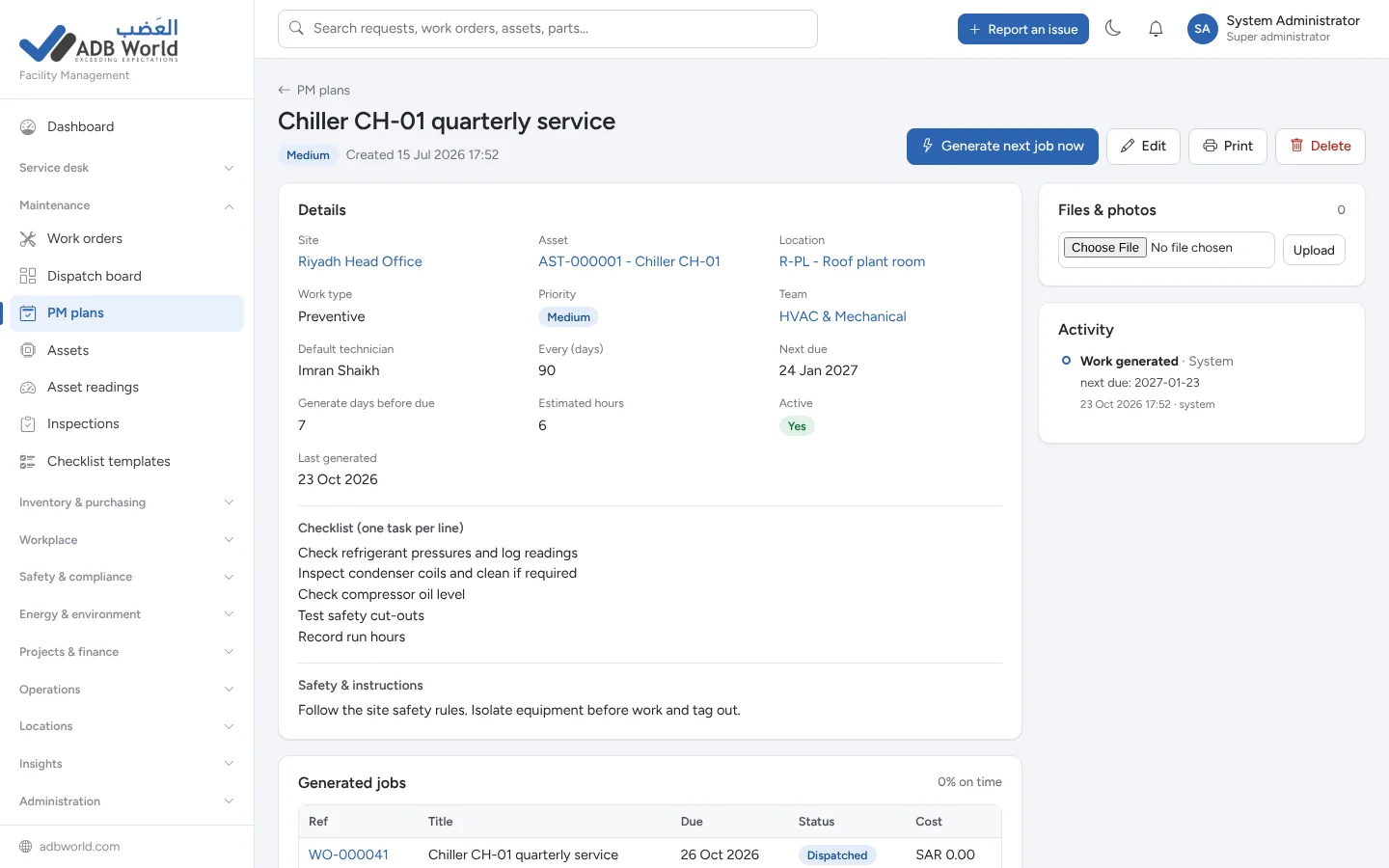
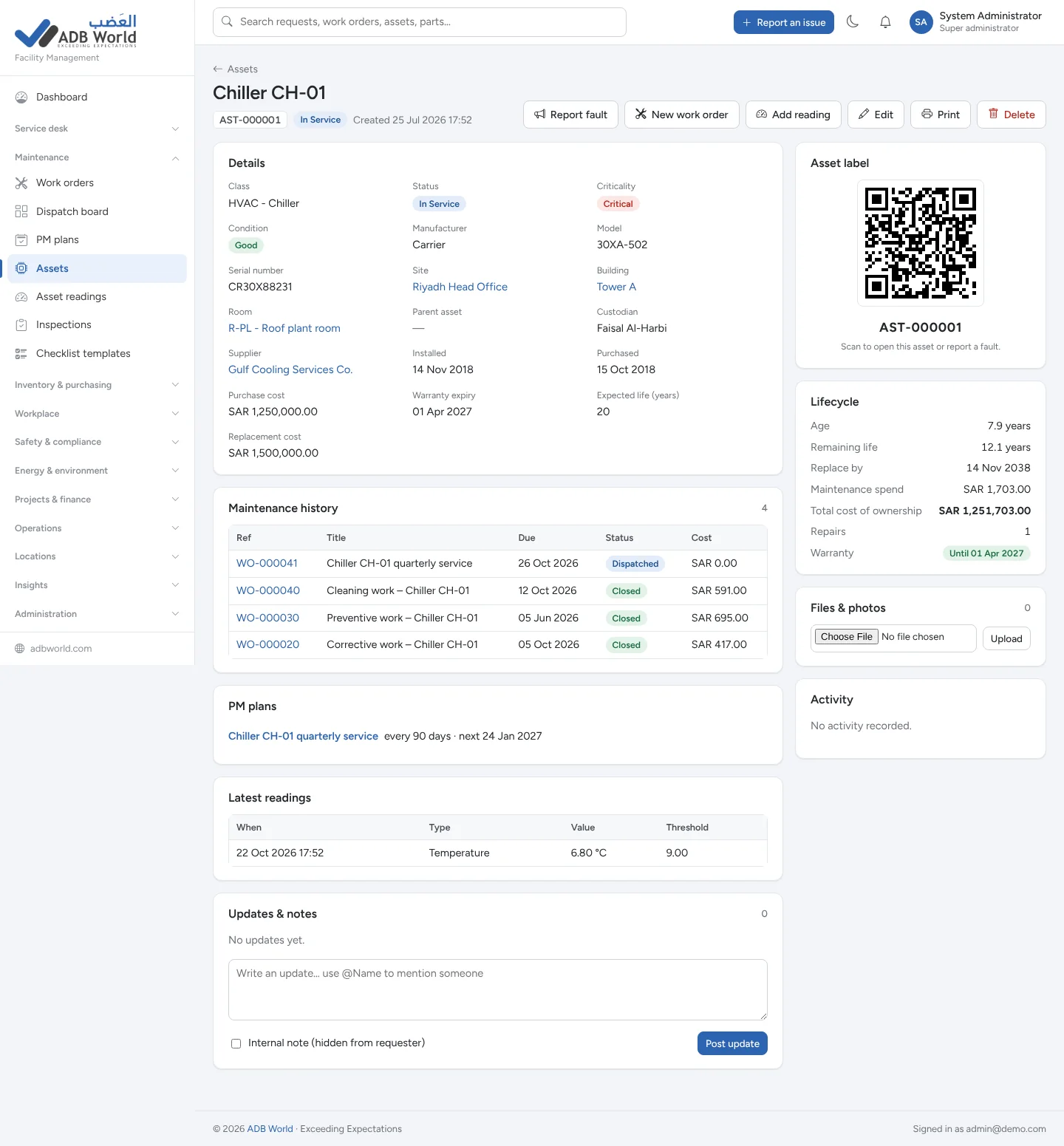
Different teams see the areas and sites they are authorized to use. Managers and auditors can follow work, approvals and costs through live reporting and activity history.
Nine starting roles with configurable View, Create, Edit, Delete, Export and Approve rights, plus site access and spending limits.
Account lockouts, session timeouts, protected files and recorded changes help keep operational records accountable.
A scheduled job checks for due maintenance, SLA warnings, booking no-shows, expiring permits and more.
Responsive layouts adapt to phones, tablets and desktops, with light and dark mode for system users.
Built with PHP and MySQL or MariaDB, and designed to run on shared hosting, cPanel or a private server.
Import assets, locations, suppliers and stock items from existing spreadsheets, and export records and reports to CSV.
A facility management system (FMS) helps organizations manage the buildings, equipment, people and services behind daily operations. It brings requests, repairs, preventive maintenance, asset records and compliance information into one place.
While a computerized maintenance management system (CMMS) focuses on equipment maintenance and work orders, computer-aided facility management (CAFM) includes broader building and workplace processes. ADB World FMS combines maintenance workflows with bookings, stores, procurement, safety and reporting.
Answers about the platform, its modules and how your facilities teams can use it.
ADB World FMS is a web-based facilities management system that connects service requests, maintenance, assets, inventory, purchasing, bookings, health and safety, compliance and reporting on one platform.
It is designed for facility managers, help desk agents, technicians, stores and purchasing staff, health and safety officers, security and reception, employees, executives and auditors. Nine starting roles can be customized.
Yes. The employee portal lets staff report an issue or hazard, book a space, invite a visitor and view the status of their own requests and bookings.
Yes. You can define response and resolution SLAs for requests, receive deadline warnings, schedule recurring preventive maintenance and automatically create planned work orders.
Yes. Equipment records connect to work orders and maintenance history, parts movements connect to stores and jobs, and purchasing can connect orders, receipts and supplier invoices.
Yes. The responsive web interface adapts to phones, tablets and desktop computers. Staff can use it in a browser without installing a separate mobile app.
The product guide describes 25 ready-made reports, role and site permissions, configurable approvals, an audit trail, account lockouts and protected file access.
A CMMS primarily covers equipment maintenance, technicians, preventive maintenance and work orders. Facility management software includes those tasks plus building services, room bookings, assets, purchasing, visitors and compliance. ADB World FMS connects both sets of workflows.
Yes. The system includes site-level access permissions and dashboard filters, so authorized managers can view a selected site or see activity across their locations.
Use the Explore Live Demo button to open the ADB World FMS login page, or contact ADB World to discuss a guided walkthrough, pricing and deployment requirements.
See how ADB World FMS helps your teams respond faster, maintain assets proactively, control spending and keep an auditable record of every operation.