

Fast POS Checkout
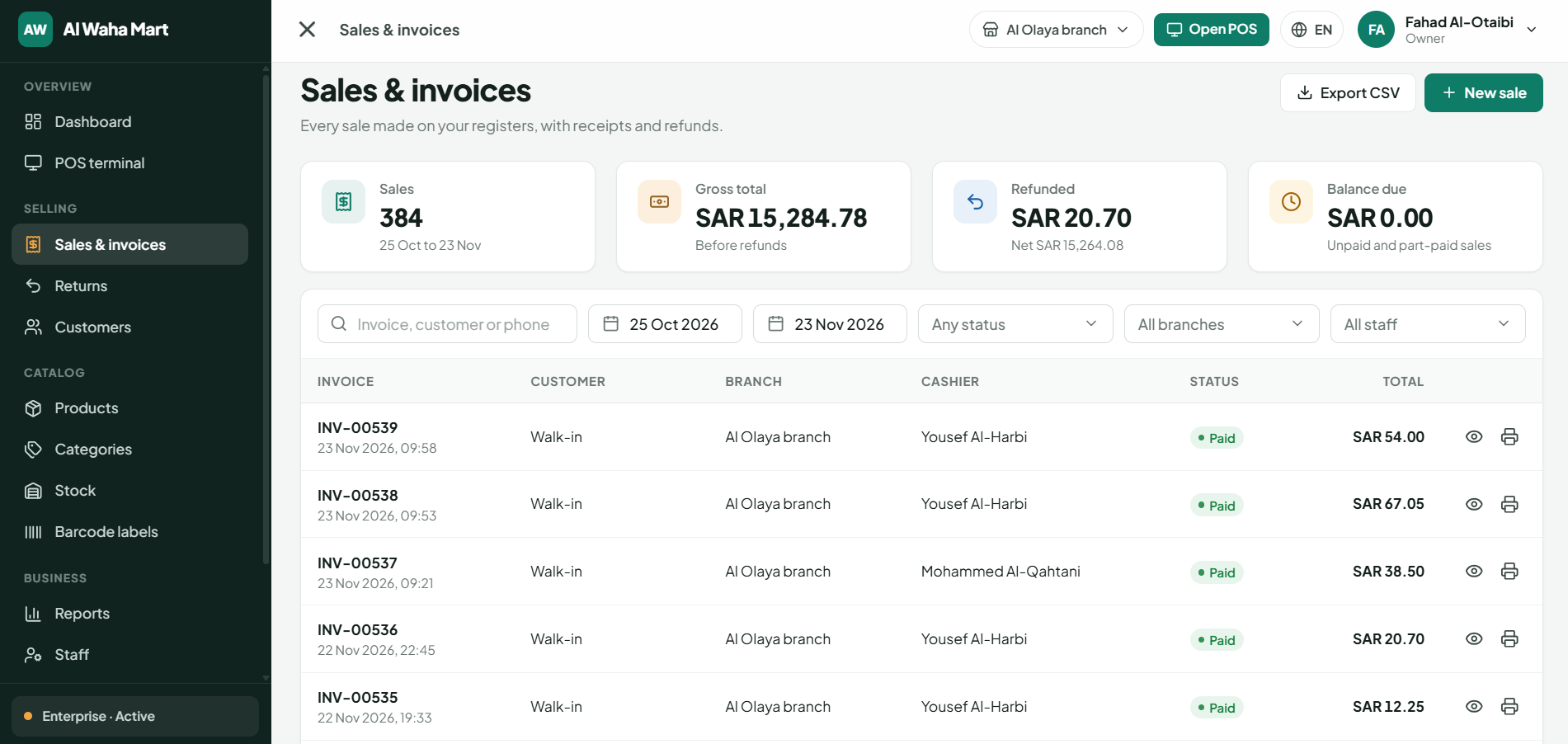
Scan, search or tap products, apply discounts, hold and resume carts, and take cash, card or bank payments with change calculated for you.

ADB POS is a cloud point of sale software for supermarkets, grocery stores and retail shops. Sell faster with a barcode scanner, print VAT receipts and tax invoices, manage inventory across branches and see real-time sales reports, in Arabic and English.
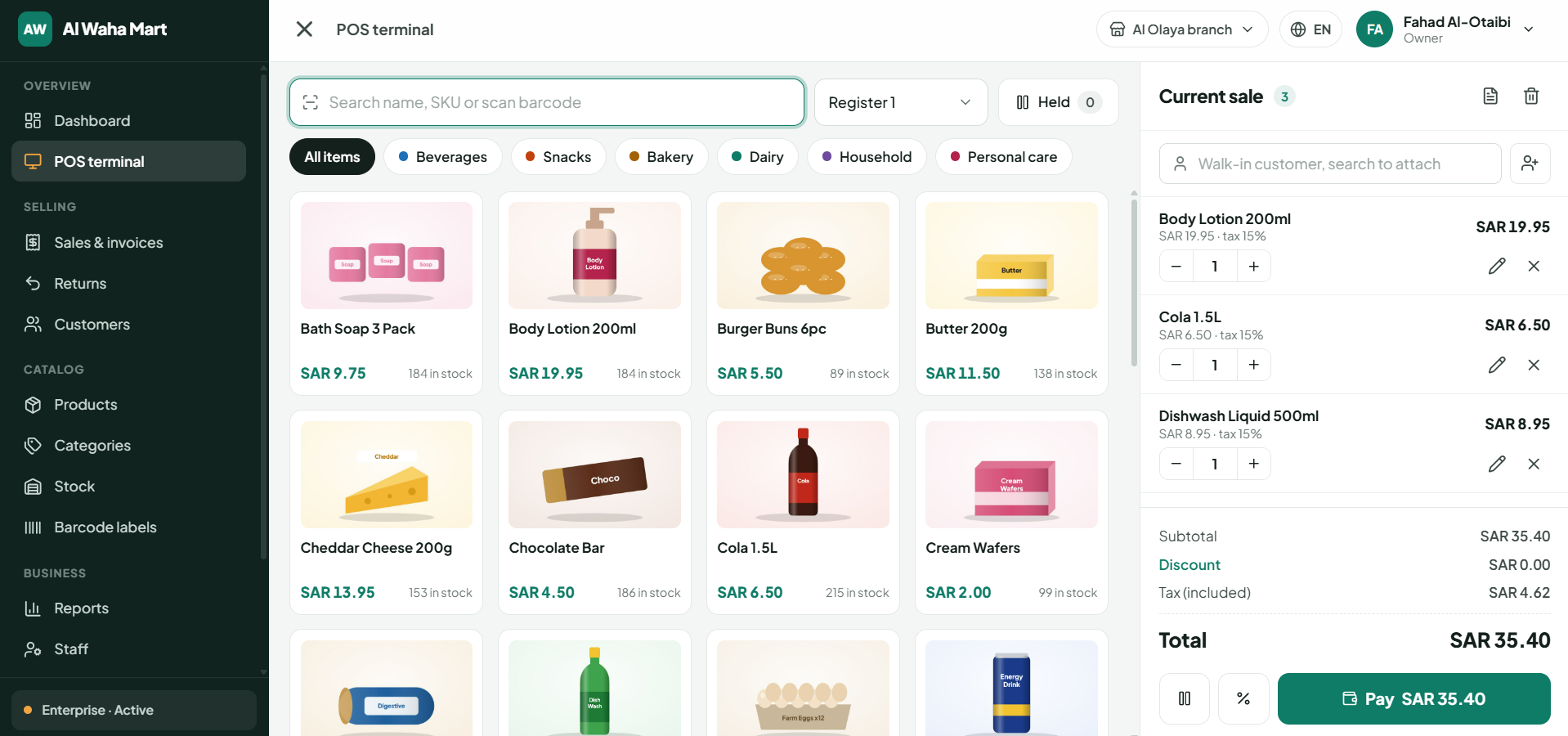
Run your whole store from one dashboard: today’s sales, transactions, monthly revenue, low stock alerts, top-selling products and payment methods. ADB POS works in any web browser on a PC, laptop or tablet, with nothing to install on the till.
From the checkout counter to the back office, ADB POS brings sales, inventory, customers, staff and reporting together in one easy point of sale software.
Scan, search or tap products, apply discounts, hold and resume carts, and take cash, card or bank payments with change calculated for you.
Works with any USB or Bluetooth barcode scanner. Print barcode labels with product name and price on A4 sheets or a label printer.
Track stock in real time, get low stock alerts, adjust quantities with reasons and transfer stock between branches with a full audit trail.
15% VAT calculated automatically, with prices inclusive or exclusive of tax. Print thermal receipts and A4 tax invoices with your VAT number.
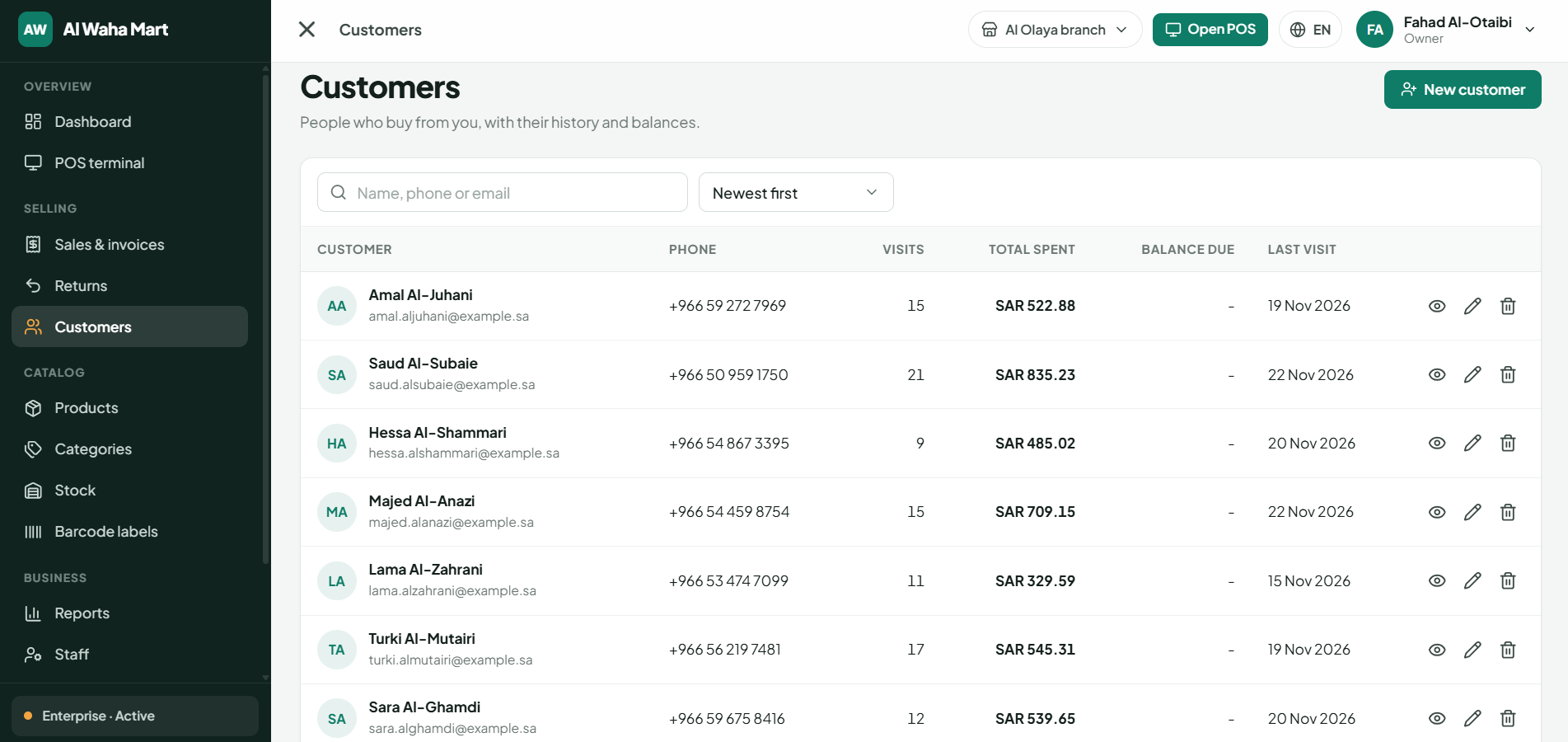
Save customers at the till and see their visits, total spending, average ticket, balance due, purchase history and favorite products.
Daily sales, best sellers, category revenue, staff performance, branch comparison, payment methods and VAT reports. Export to CSV or print.
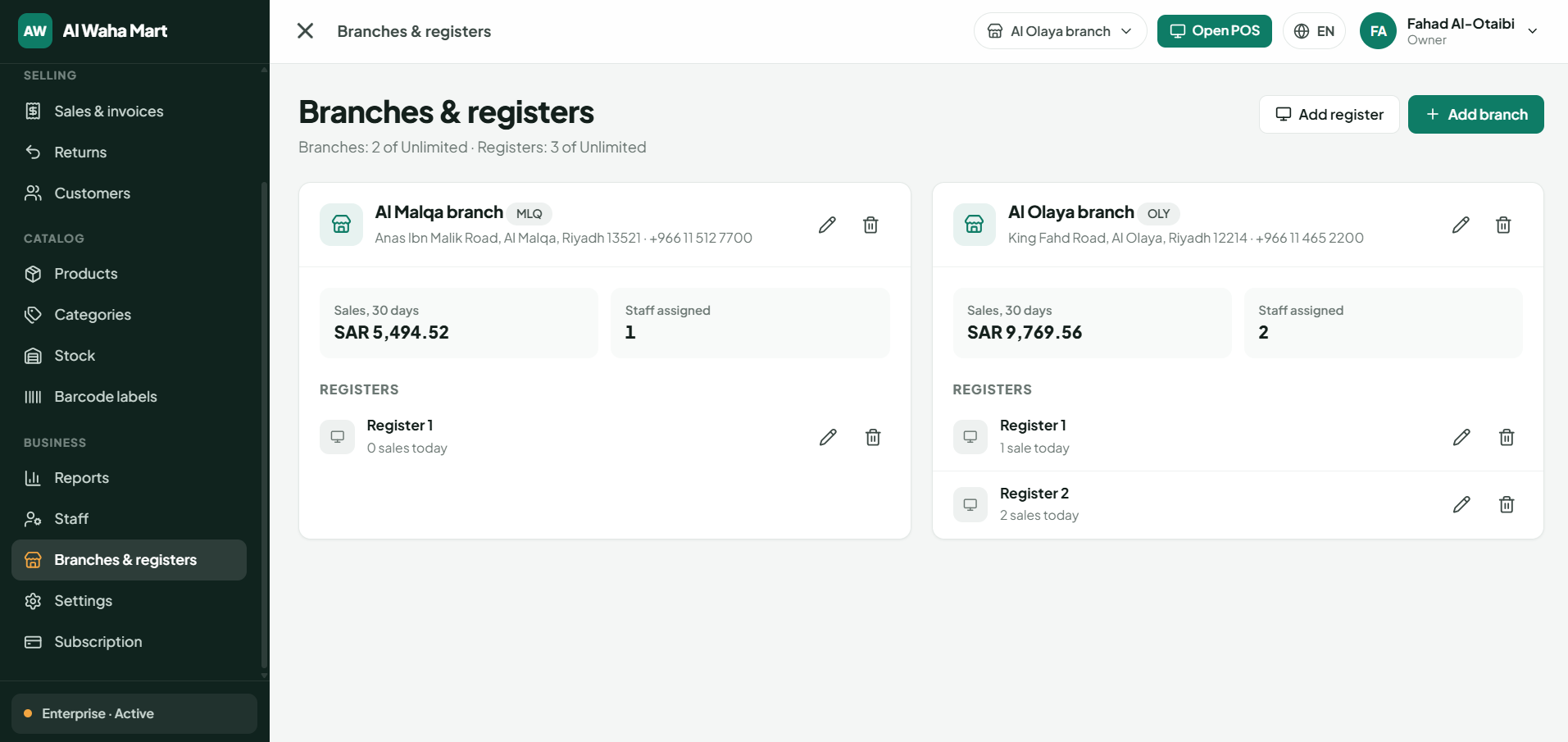
Manage several stores and registers from one account. Switch branches in a click and compare sales and stock for every location.
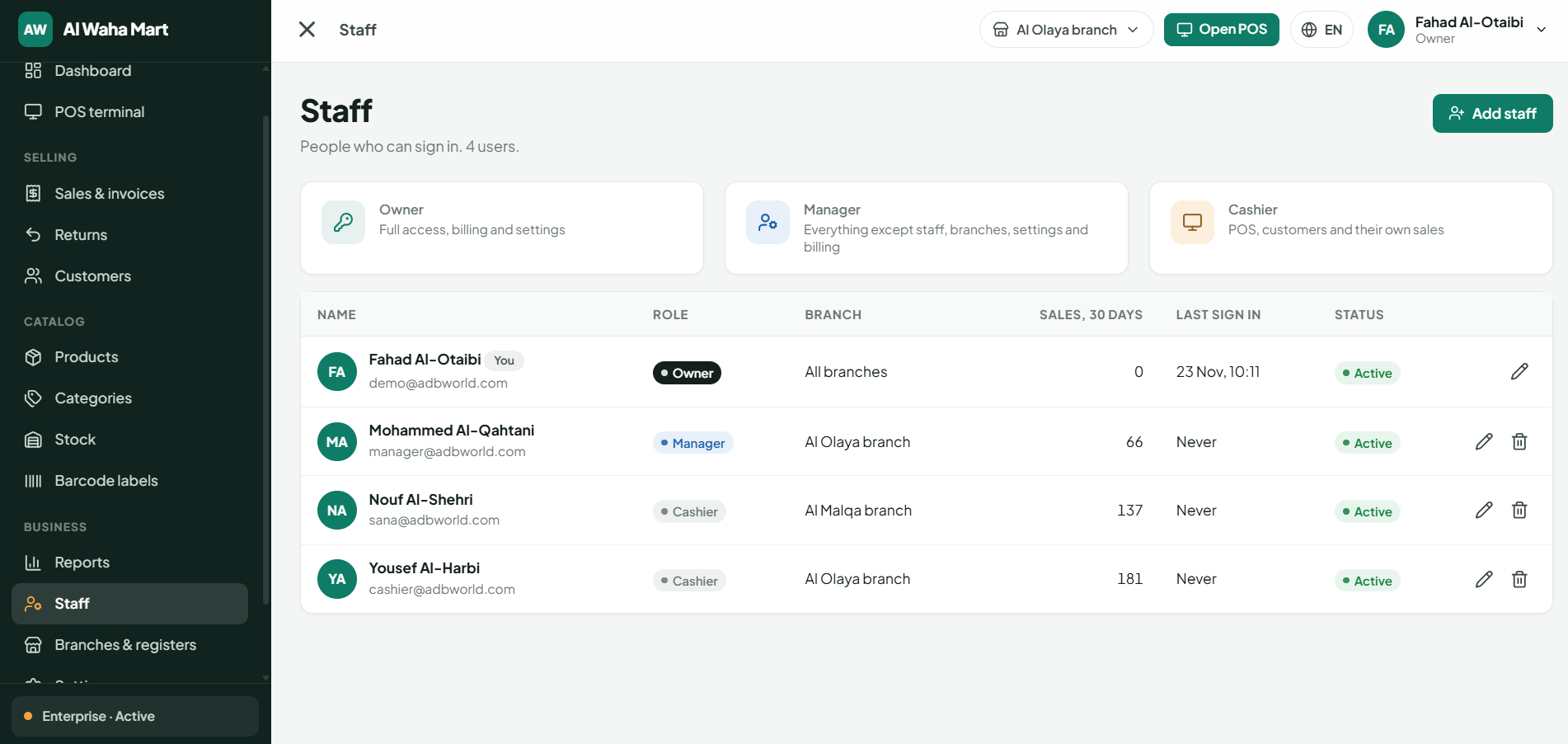
Owner, manager and cashier roles. Decide exactly who can give discounts, change prices, see reports, export data or delete records.
Full Arabic right-to-left and English interface. Saudi riyal by default, with 30+ currencies for stores across the GCC and beyond.
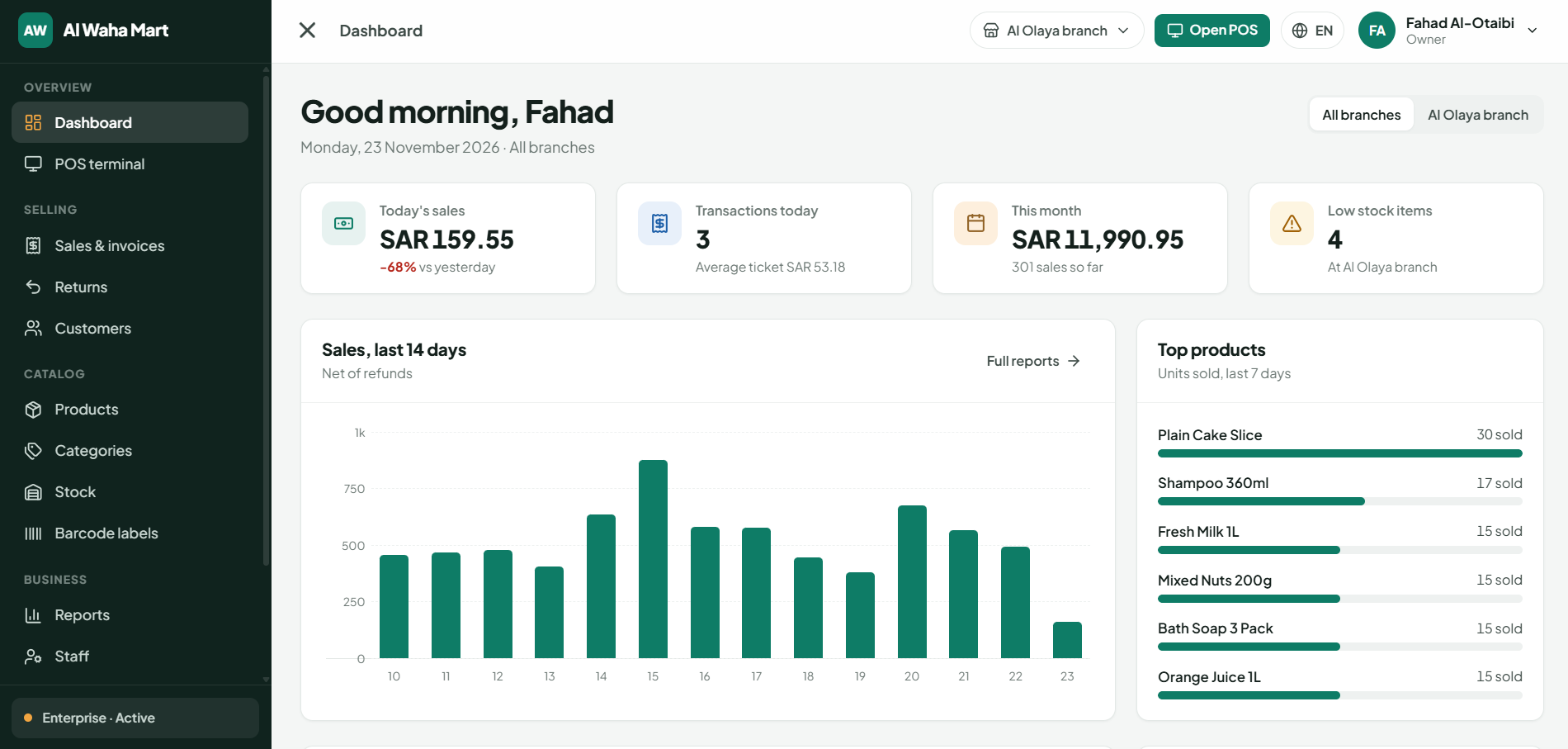
Find any sale in seconds by invoice number, customer or phone. Filter by date, status, branch or cashier, reprint receipts, open A4 tax invoices and process returns and refunds without leaving the screen.
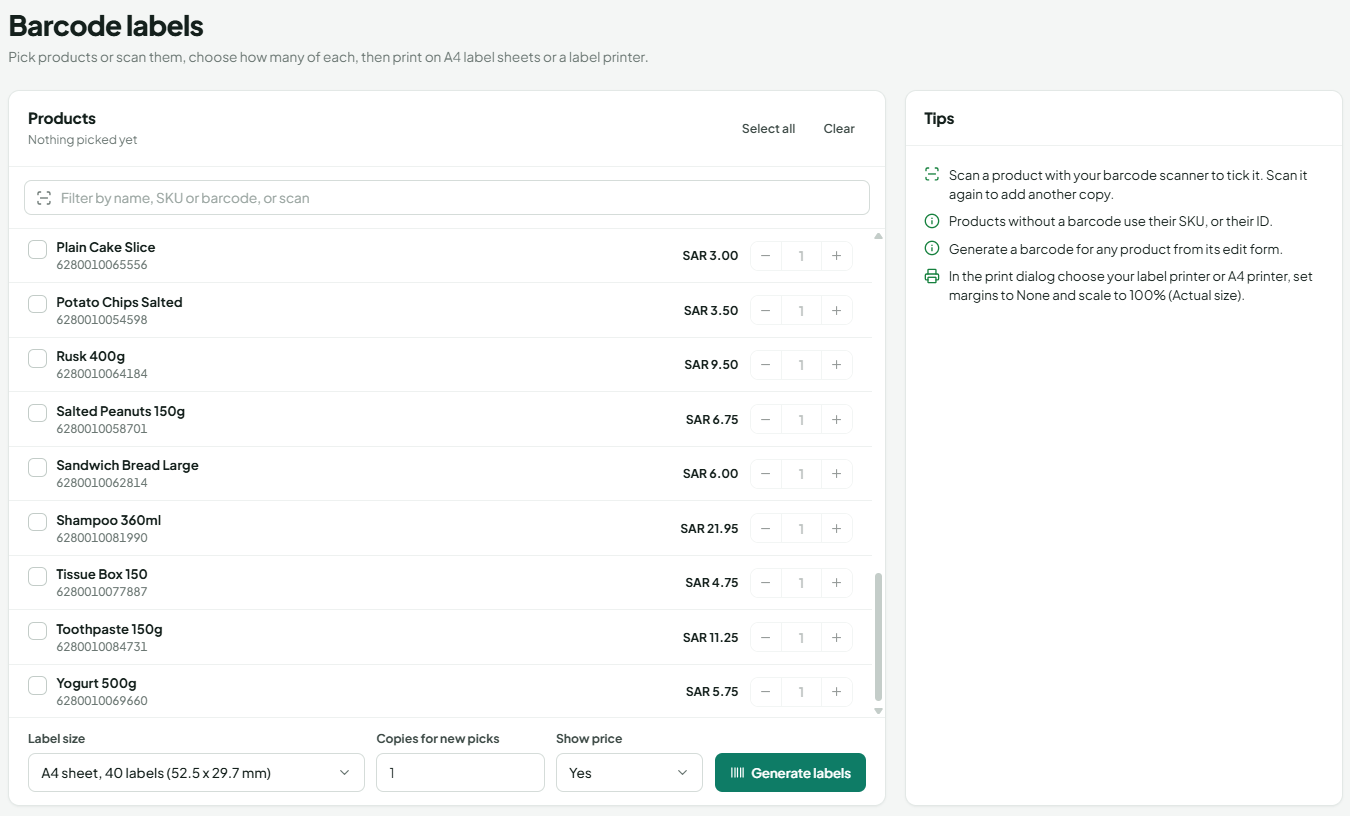
Plug in a USB or Bluetooth barcode scanner and start selling. Scanned products go straight into the cart, and the same scanner finds products, fills barcodes on new items and opens stock adjustments.
Every sale, return, adjustment and transfer updates your stock instantly. Know your stock value at cost and retail, spot low stock before it runs out, and keep products organised by category.
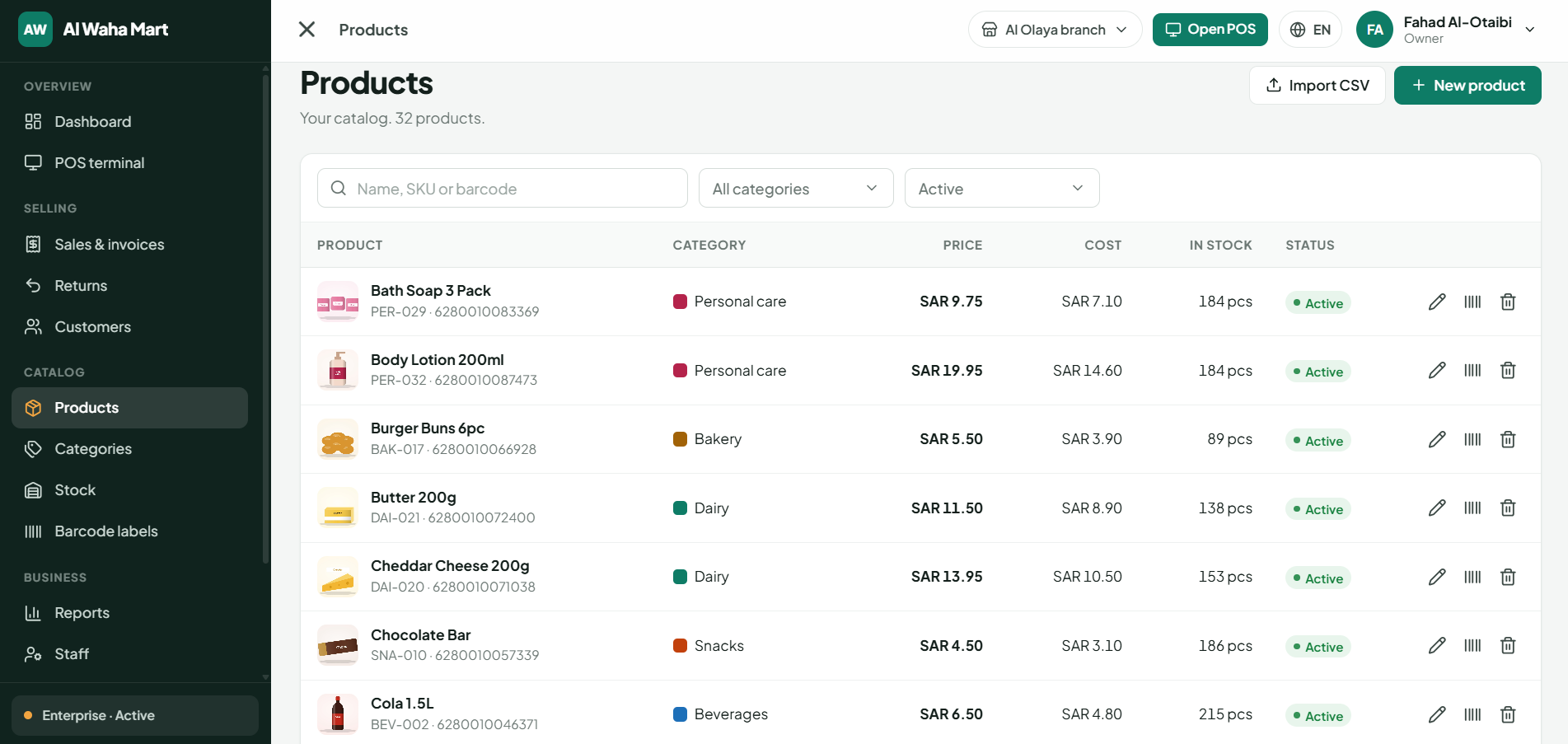
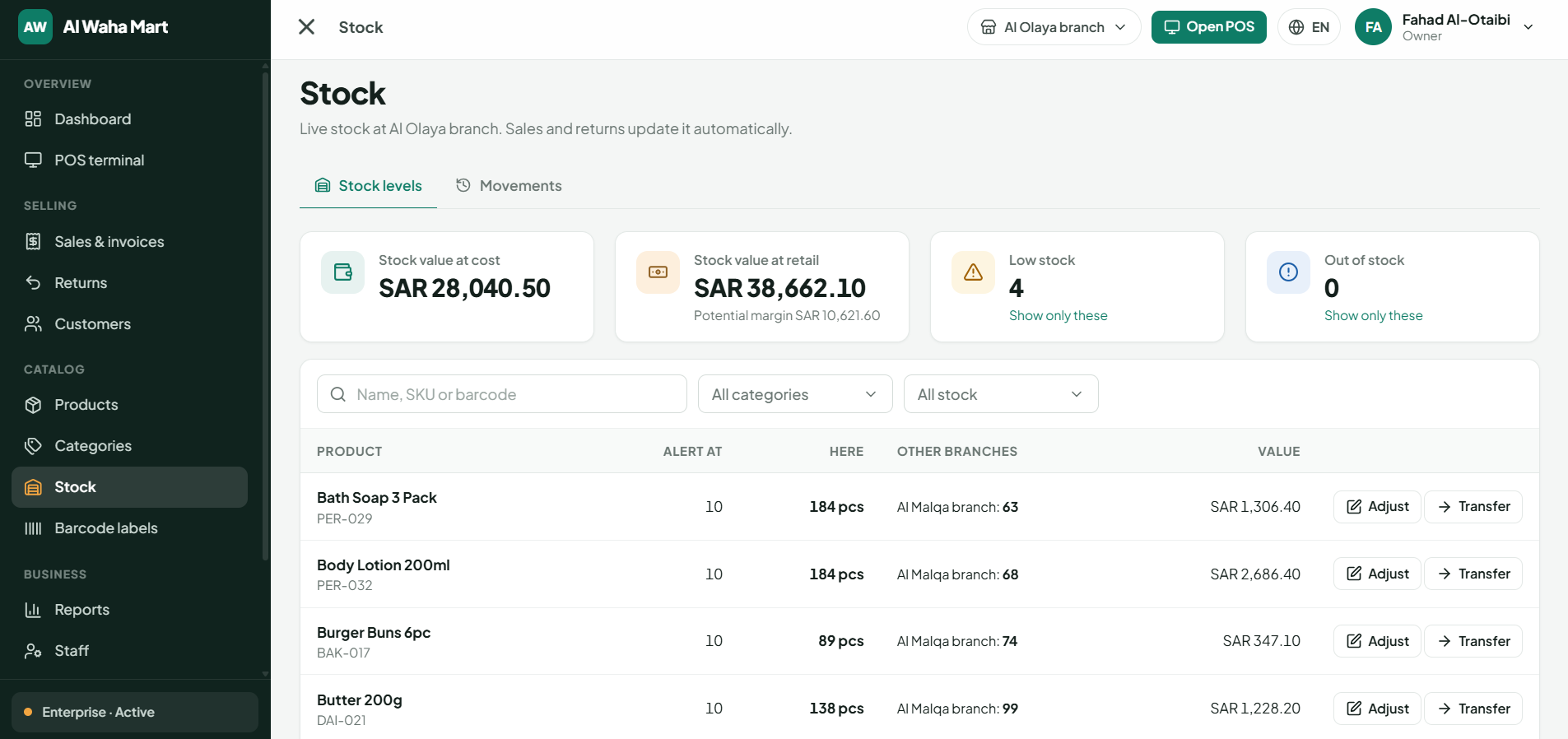
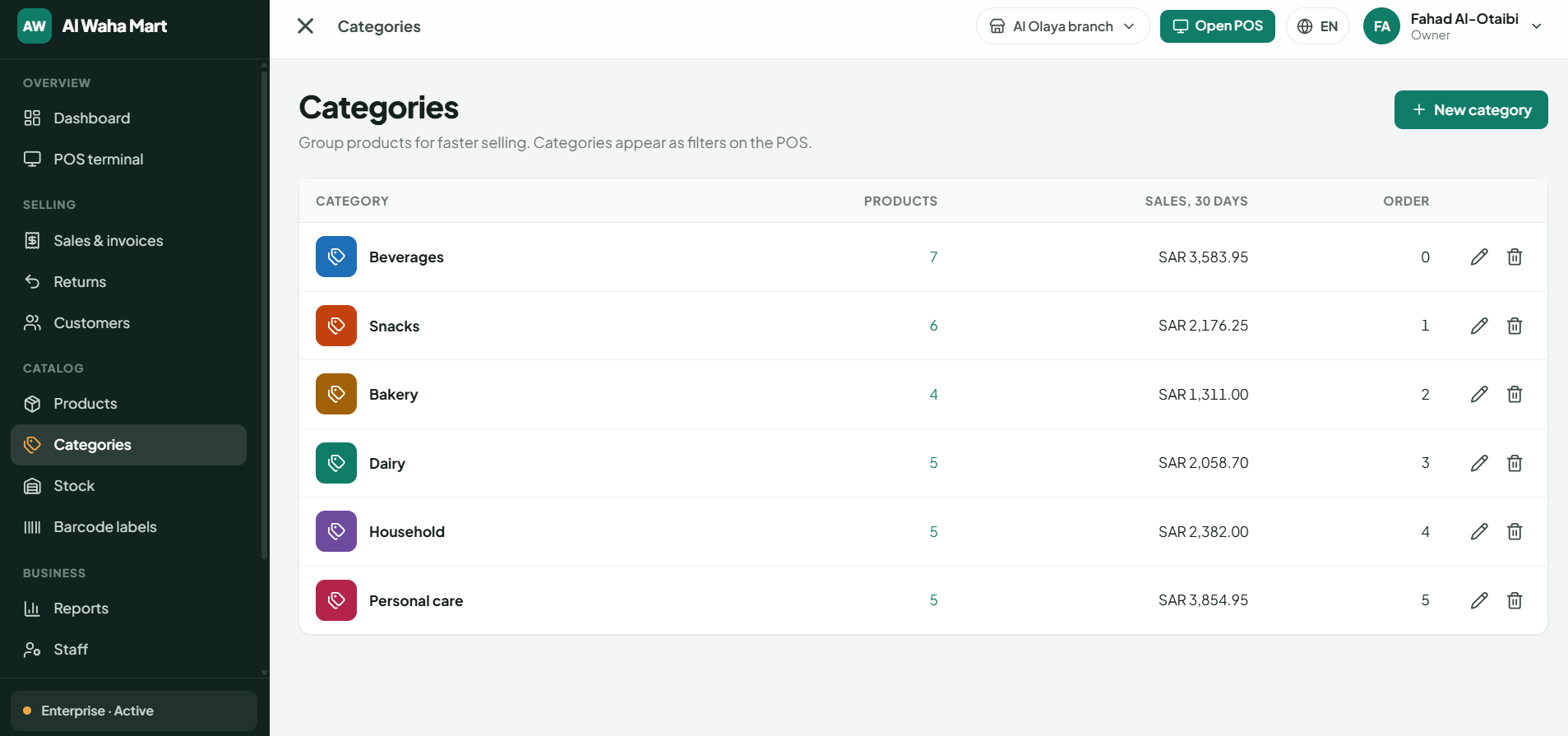
Attach customers to sales in one tap at the till. ADB POS keeps their visits, total spent, average ticket and balance due, so you can reward regulars and follow up on unpaid balances.
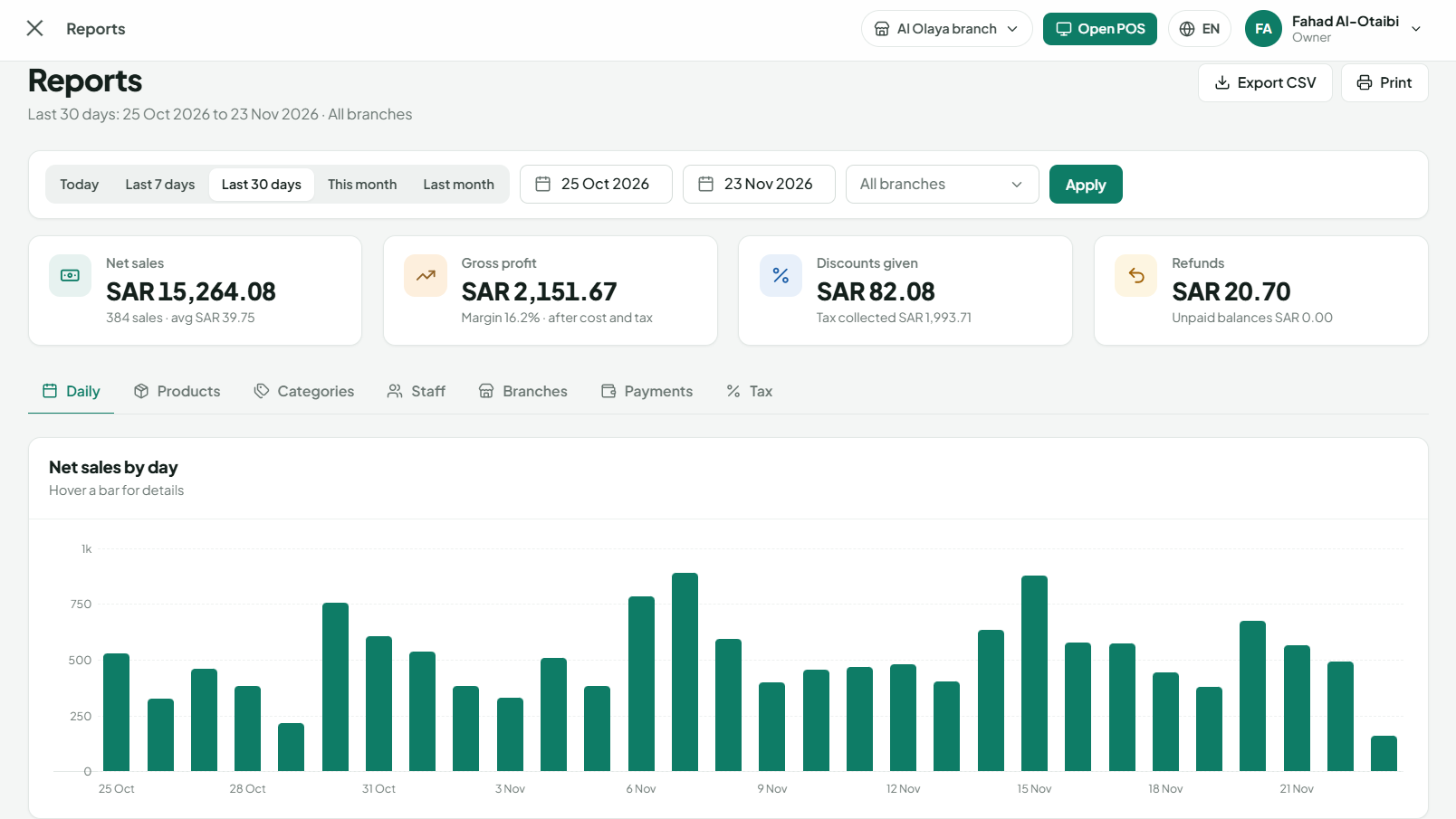
See net sales, gross profit and margin, discounts and refunds for any period, then drill into the numbers behind them.
Open new branches and registers as you grow. Give every team member their own login, assign them to a branch and control what each role can see and do.
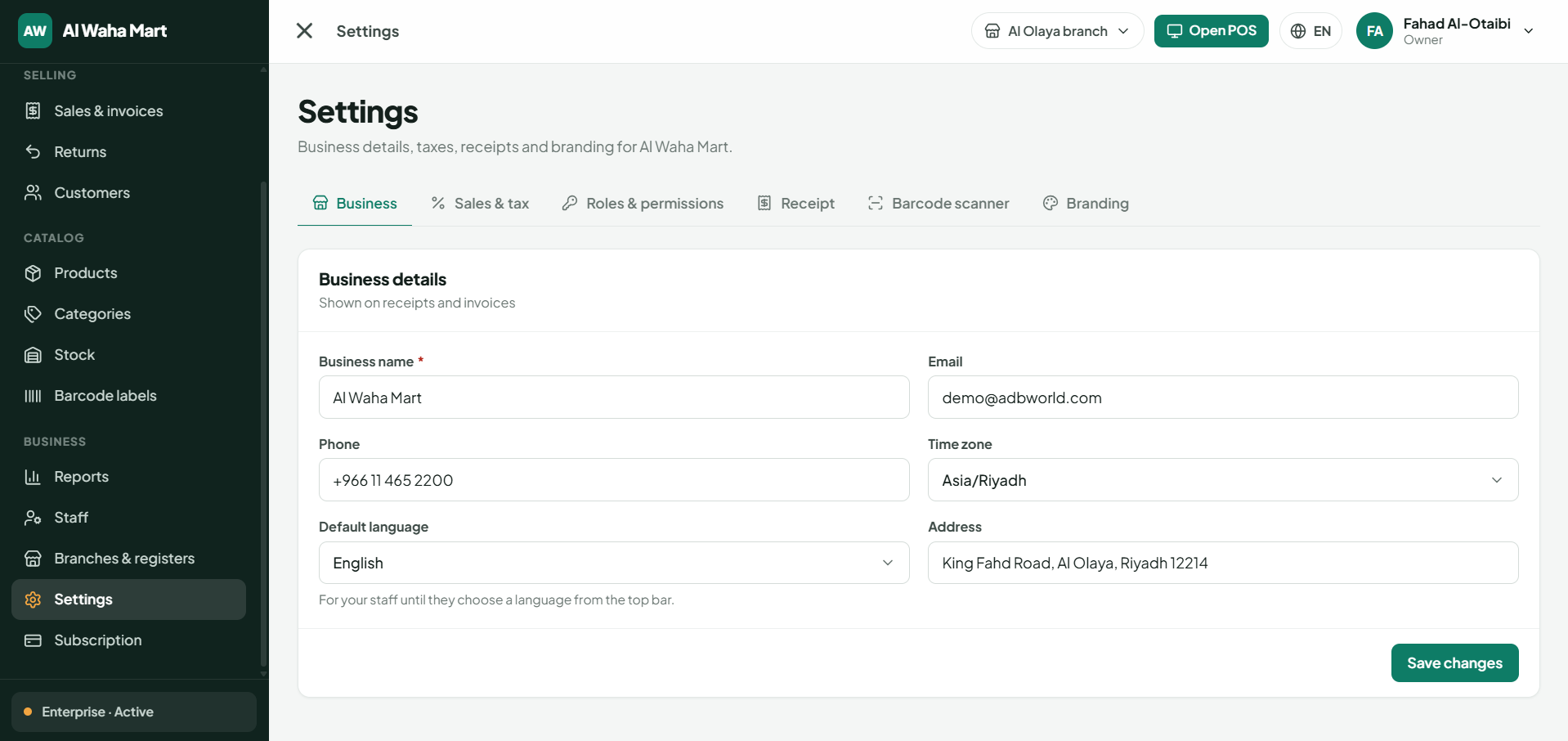
Set your business details, time zone and default language. Configure VAT, customise the receipt header and footer, tune your barcode scanner and add your own logo and colours.
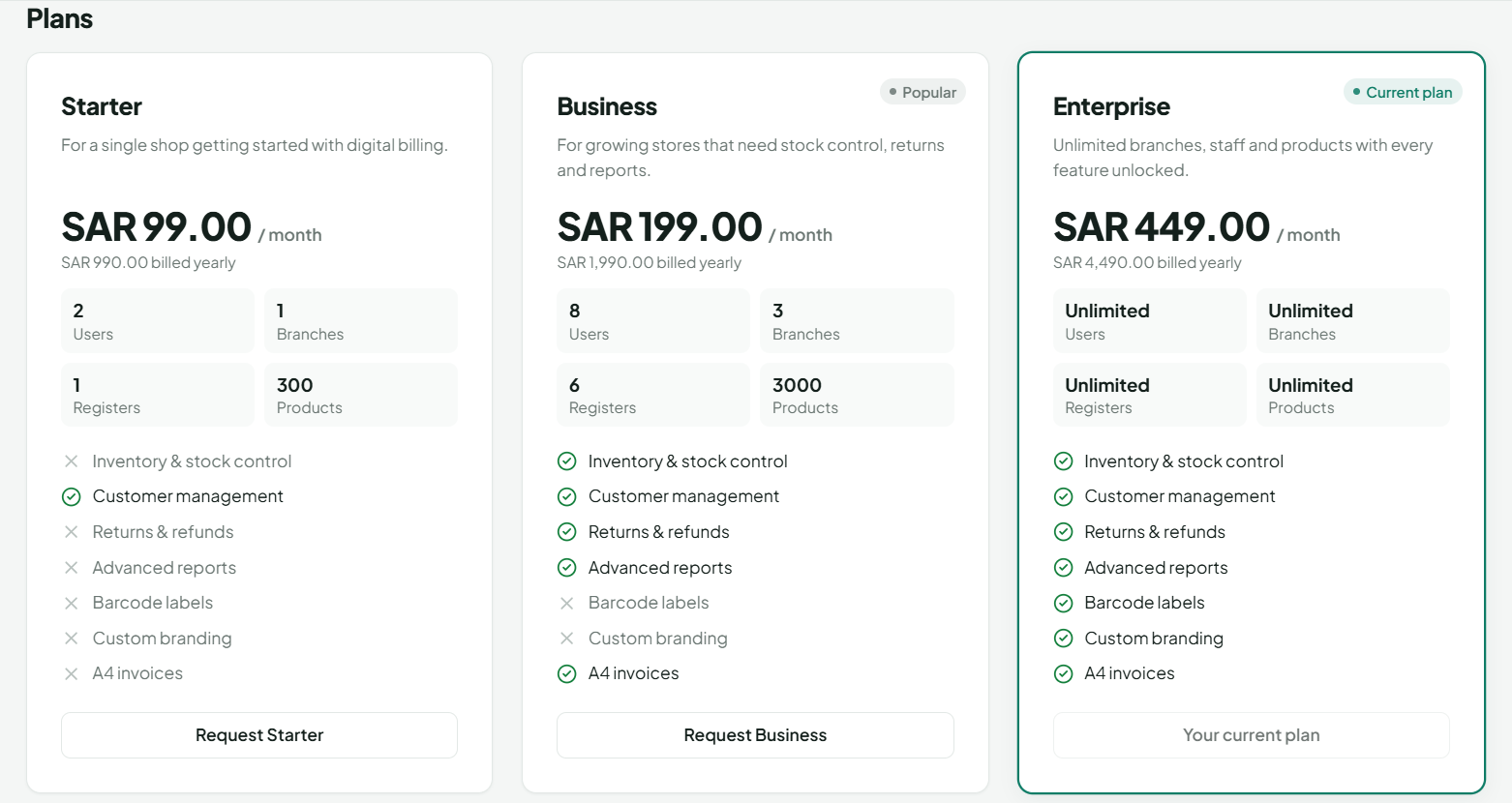
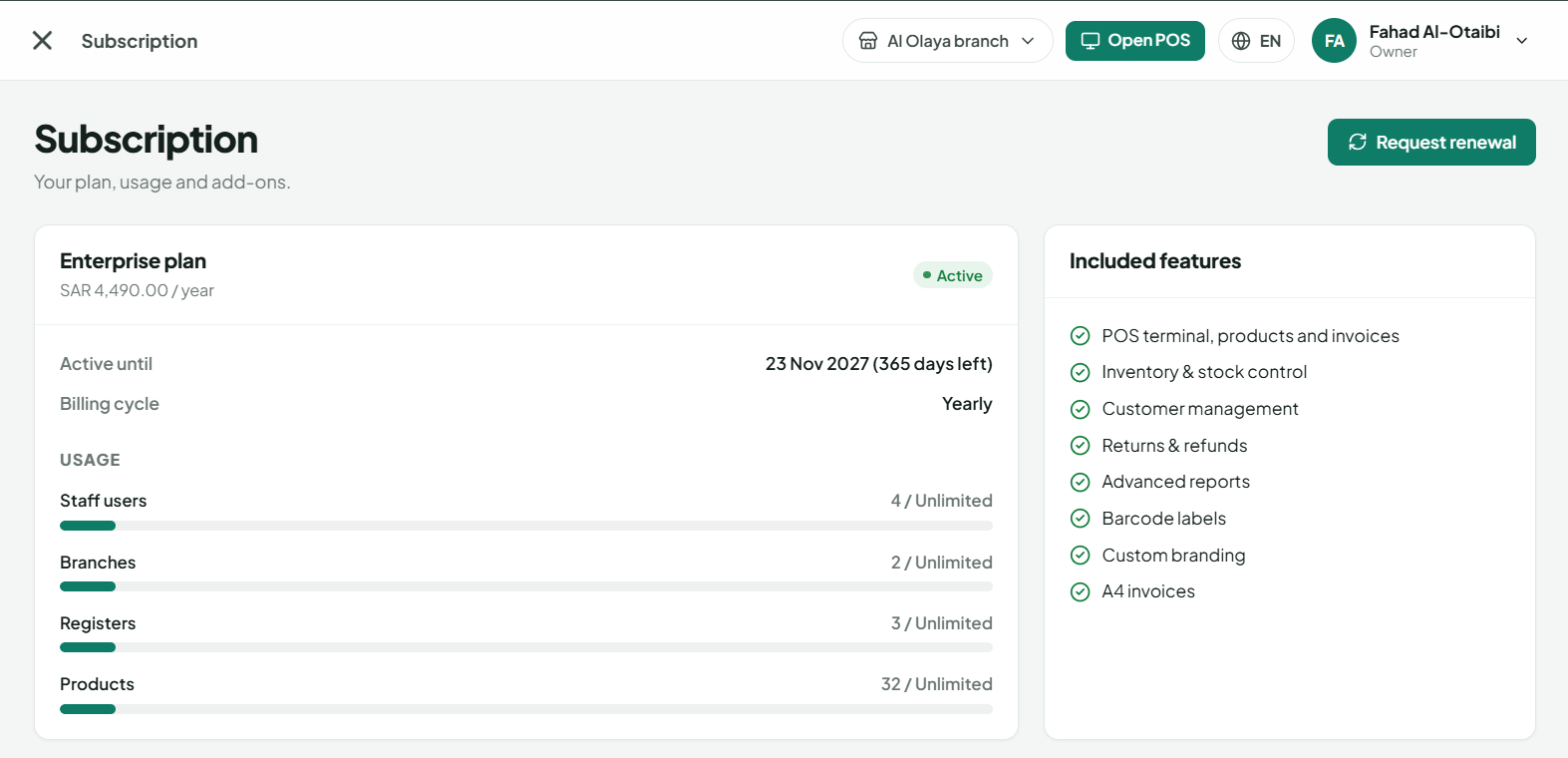
Start small and upgrade any time. Choose a plan for one shop or many branches, add extras like barcode labels or custom branding, and see your usage and limits at a glance.
No special hardware and no long setup. If you have a computer, a browser and a barcode scanner, you are ready to sell.
Sign up, pick your currency and add your business details and VAT settings.
Add products by hand, scan their barcodes or import them from a CSV file.
Add branches, registers and staff, and choose what each role can access.
Open the POS, scan products, take payment and print the receipt.
From a single mini mart to a supermarket chain with several branches, ADB POS fits the way Saudi retailers sell.
ADB POS is a cloud-based point of sale system for retail stores. It combines checkout, barcode scanning, inventory management, customers, staff, multi-branch control and sales reports in one web application that runs in your browser.
Yes. ADB POS calculates 15% VAT automatically, supports prices that include or exclude VAT, prints your VAT number on receipts and produces A4 tax invoices and VAT reports. Amounts are shown in Saudi riyals (SAR).
Any USB or Bluetooth barcode scanner that works like a keyboard. Scanning works on the POS, product, stock, label and returns screens, even with an Arabic keyboard layout. You can also print your own barcode labels.
Yes. ADB POS supports multiple branches and registers. Each branch has its own stock, you can transfer stock between branches, and reports can be viewed for one branch or all branches together.
Yes. The full interface is available in Arabic with right-to-left layout and in English. Each user can switch language at any time.
Yes. The owner decides which sections managers and cashiers can open and whether they can give discounts, change prices, see other staff’s sales, delete records or export data.
A computer, laptop or tablet with a modern web browser and an internet connection. A barcode scanner, receipt printer and label printer are optional and connect like any standard device.
Yes. Click Try Live Demo to open a working demo store and explore the POS, inventory, reports and settings yourself, or contact our team for a guided walkthrough.
See how ADB POS helps you sell faster, control inventory and grow across branches, all from one simple POS system.
Questions? Our team is happy to help.